
Post Production Video Editing: Complete Guide for 2026
Discover how post production video editing transforms raw footage into professional content. Learn workflows, tools, and outsourcing tips.
10 Min. ReadRead More
5 dedicated editor spots open this week. Book a call to reserve →

 Kiara WalkerCocktales Podcast

Find the best music video editing app for your creative vision. Compare features, workflows, and tools to produce stunning music videos faster.
September 21, 2026
Creating a music video that captures attention and keeps viewers watching isn't just about filming cool shots anymore. The real magic happens in post-production, where rhythm meets visuals and your creative vision comes to life. Whether you're a content creator building your personal brand, a marketing team producing promotional content, or an agency managing multiple client projects, choosing the best music video editing app can make or break your production timeline. The right tool transforms hours of raw footage into a polished, beat-synced masterpiece without requiring a film degree or draining your creative energy.
Not every video editor is built for music-driven content. The best music video editing app needs specific features that separate it from general-purpose editing tools.
Beat detection sits at the top of the list. When your app can automatically identify beats and rhythmic patterns in your audio track, you save hours of manual timeline scrubbing. Some apps visualize audio waveforms right on the timeline, making it easier to sync cuts, transitions, and effects to the music's natural flow.
Multi-layer timeline support becomes essential when you're juggling multiple video angles, B-roll, text overlays, and effects. Professional music videos rarely use single-track editing. You need the flexibility to stack clips, adjust opacity, and blend elements seamlessly.
Here's what else separates good from great:
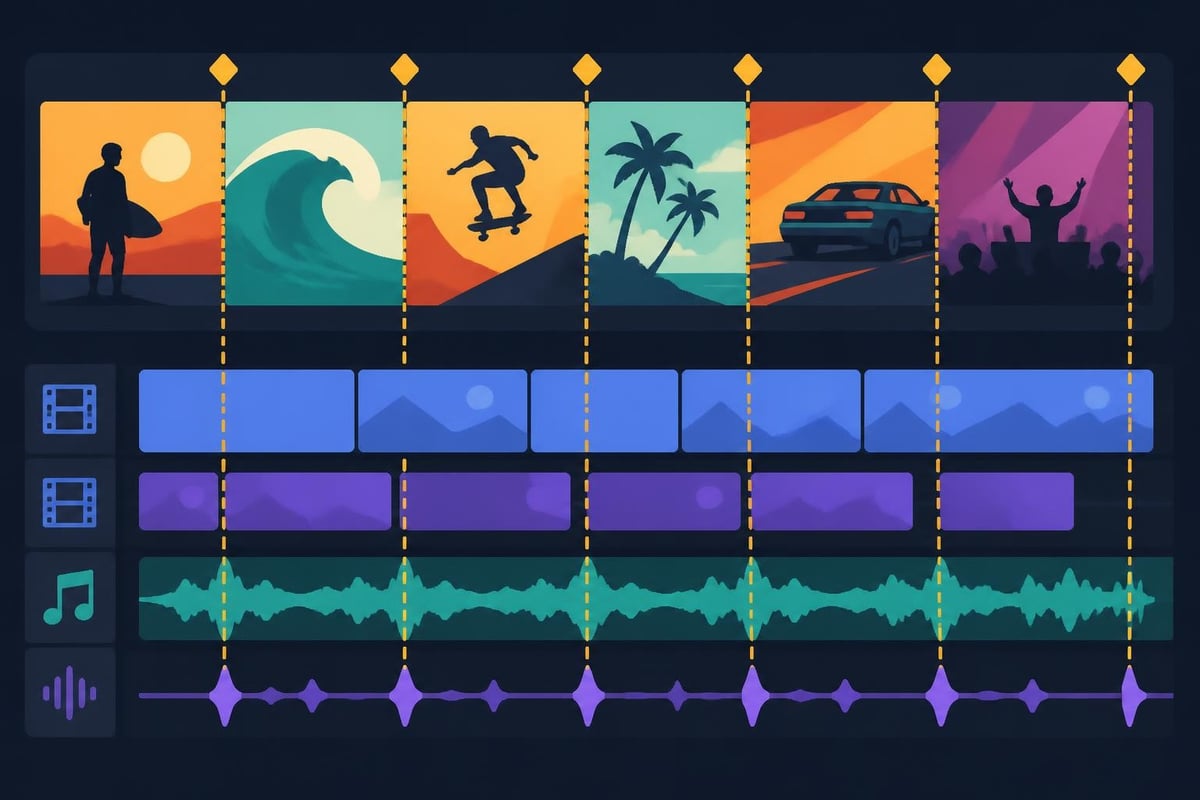
The interface matters more than people realize. When you're in hour three of an editing session, a cluttered workspace kills creativity faster than anything. The best tools balance power with usability, putting essential features within two clicks while keeping advanced options accessible but not overwhelming.
The battle between mobile and desktop editing isn't about which is "better" – it's about matching tools to your workflow and project scope.
Mobile editing apps have evolved dramatically. What started as basic trim-and-filter tools now rivals desktop software for many music video projects. TechCrunch’s coverage of YouTube’s mobile editor expansion highlights how major platforms are betting on mobile-first creation.
CapCut dominates the mobile space for good reason. Its beat-sync feature automatically suggests cut points based on your music, and the app's TikTok integration means you're editing on the same platform where many viewers will watch your final product. The learning curve is gentle, making it approachable for creators who want results without watching hours of tutorials.
InShot appeals to creators who need quick turnarounds. Its strength lies in aspect ratio flexibility – create a 16:9 video for YouTube, then instantly reformat to 9:16 for Stories or 1:1 for feed posts. The music library includes licensed tracks, solving the synchronization licensing headache that trips up many creators.
| App | Best For | Standout Feature | Platform |
|---|---|---|---|
| CapCut | Beat-synced edits | Auto-cut to music | iOS, Android |
| InShot | Multi-platform content | Instant reformatting | iOS, Android |
| VN | Advanced mobile editing | Curve-based speed ramping | iOS, Android |
| Adobe Premiere Rush | Cross-device workflows | Cloud sync with desktop | iOS, Android |
VN Video Editor flies under the radar but deserves attention from serious mobile editors. The keyframe animation system lets you create custom motion graphics that don't scream "template." Speed curves give you control over acceleration and deceleration – the difference between a clip that feels amateur and one that feels cinematic.
For creators building personal brands, mobile apps offer unbeatable spontaneity. Film content during your day, edit on your commute, and publish before the moment loses relevance. That agility matters when you're competing for attention in fast-moving feeds.
When your music video project demands precision, desktop apps deliver capabilities mobile can't match. Color grading alone justifies the desktop investment – professional tools like DaVinci Resolve offer node-based workflows that give cinematographers full control over every pixel.
Adobe Premiere Pro remains the industry standard, particularly for teams. The dynamic link with After Effects means you can create complex motion graphics without exporting intermediates. Its audio tools go deep – multiband compression, parametric EQ, and noise reduction that would require separate software in other workflows.
Final Cut Pro wins loyalty from Mac users who value speed. The magnetic timeline prevents accidental clip overlaps, and the optimized Metal framework makes rendering noticeably faster on Apple silicon. Apple’s native tutorials help newcomers get productive quickly, though the interface requires unlearning some Premiere habits.
DaVinci Resolve offers shocking value. The free version includes professional color grading, Fairlight audio post-production, and Fusion visual effects. For creators producing music videos that need to stand out visually, Resolve's color wheels and HDR grading tools – explained in depth in this ASC technical guide – provide broadcast-quality results.
Here's the reality check: desktop apps demand serious learning investment. Premiere Pro's interface alone can overwhelm newcomers, and mastering its features takes weeks of focused practice. That's why many marketers and agencies choose to outsource editing rather than staff full-time editors.
Marketing materials promise hundreds of features, but most music video projects rely on a core toolkit. Understanding which features drive results helps you choose wisely.
The best music video editing app gives you frame-accurate control. Music videos live or die on timing – a cut that lands 3 frames late breaks the rhythm and feels sloppy to viewers.
Waveform visualization should be non-negotiable. Seeing your audio track's peaks and valleys on the timeline makes finding beat markers instant instead of tedious. Some apps (CapCut, Premiere Pro, Final Cut) let you add markers to beats, then snap clips to those markers automatically.
Speed manipulation creates visual interest without complex effects. Slow down your subject's movement during a vocal emphasis, then snap back to real-time as the beat drops. The best tools offer curve-based speed control rather than just percentage sliders – the difference between mechanical and organic motion.
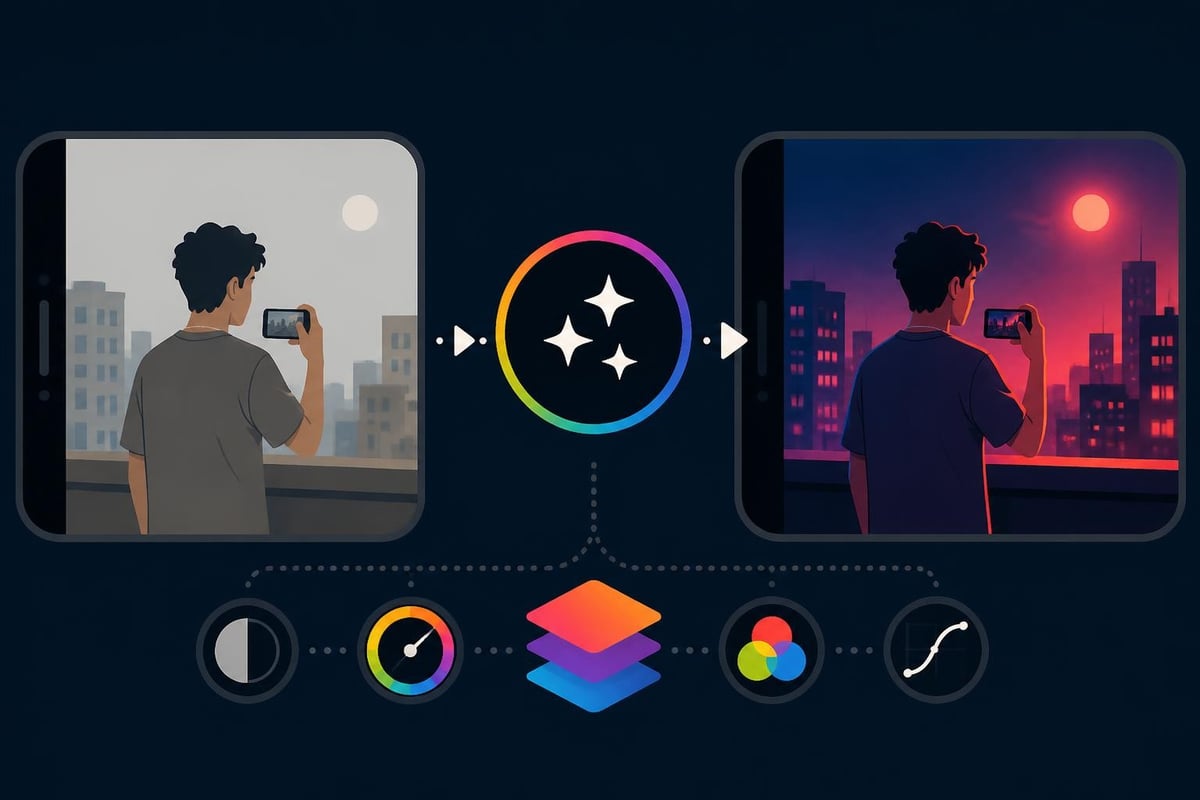
Every music video tells a story through color. Whether you're going for vibrant and energetic or moody and introspective, color grading unifies disparate clips into a cohesive visual experience.
LUTs (Look-Up Tables) give you professional color grades in seconds. Load a cinematic LUT, adjust intensity, and your smartphone footage instantly looks more intentional. Most serious apps include LUT support, but the quality of built-in LUTs varies wildly.
Adjustment layers let you apply effects to multiple clips simultaneously. Change the overall saturation once instead of tweaking fifty individual clips. This feature saves hours during revision rounds – and if you're working with dedicated video editors, they'll use adjustment layers to implement your feedback efficiently.
Lyrics, artist names, and call-to-action elements need to feel integrated, not slapped on. The best apps offer:
Wired’s roundup of social video apps emphasizes how text animation quality separates scroll-stopping content from forgettable posts. Viewers won't consciously notice smooth text animations, but they'll definitely notice jarring ones.
Your role shapes which features matter most. A solo content creator has different needs than an agency managing multiple clients.
Speed matters when you're wearing every hat. The best music video editing app for solo creators balances quality with efficiency, letting you publish consistently without burning out.
Template-based workflows accelerate production. Create a music video template with your brand colors, fonts, and transition styles. For subsequent videos, swap in new footage and music while maintaining visual consistency. This approach – central to transforming raw footage into content – lets you publish weekly without starting from scratch each time.
One-click sharing to multiple platforms saves hours. The best apps remember your export settings for each platform and let you queue uploads directly from the editor. No more manual resizing or re-uploading.
Solo creators often hit a ceiling where DIY editing consumes too much time. That's when content creators start exploring outsourcing options – dedicating creative energy to filming and strategy while professionals handle post-production.
Multi-client workflows demand organizational features that solo apps often skip.
Project templates ensure brand consistency across campaigns. Build approved templates for each client, and editors can't accidentally use the wrong color palette or font. This structure becomes essential when scaling production volume.
Collaboration tools prevent version-control disasters. Cloud-based apps like Frame.io integrate comments and approvals directly into the timeline. Clients mark specific frames for revision instead of sending vague "make it pop" emails.
| Workflow Need | Recommended Solution | Why It Works |
|---|---|---|
| Brand consistency | Custom templates + style guides | Prevents creative drift across projects |
| Client approvals | Frame.io or similar | Time-stamped feedback on specific frames |
| Asset management | Cloud storage with metadata | Find clips without digging through folders |
| Revision tracking | Version control systems | Roll back changes without losing work |
Many agencies eventually realize that software alone doesn't solve capacity constraints. During high-volume periods, having access to unlimited video editing services acts like an elastic team member who scales up during crunches and scales down during quiet periods.
Every "best music video editing app" list glosses over learning curves, but time-to-competency dramatically affects ROI. A powerful app you can't use effectively delivers worse results than a simpler tool you've mastered.
Mobile apps typically achieve basic competency in 2-4 hours. CapCut's interface mirrors TikTok's editing tools, so if you've trimmed clips in-app, you're already halfway there. VN requires more learning but still gets you editing within an afternoon.
Desktop apps demand 20-40 hours before you're productive, and 100+ hours before you're proficient. Premiere Pro's keyboard shortcuts alone take weeks to internalize. Final Cut's magnetic timeline requires unlearning traditional editing concepts.
The hidden cost? Frustration-driven abandonment. Creators download Premiere Pro, spend four hours trying to sync audio, give up, and never open it again. That's wasted investment and delayed content that could've been driving growth.
YouTube tutorials solve immediate problems but rarely build systematic knowledge. You learn to create a specific effect without understanding the underlying principles. Next project, you're back to tutorial hunting.
No Film School’s practical guides teach concepts rather than button-clicking. Understanding storytelling beats and pacing matters more than knowing seventeen transition options. The best creators focus on craft first, software second.
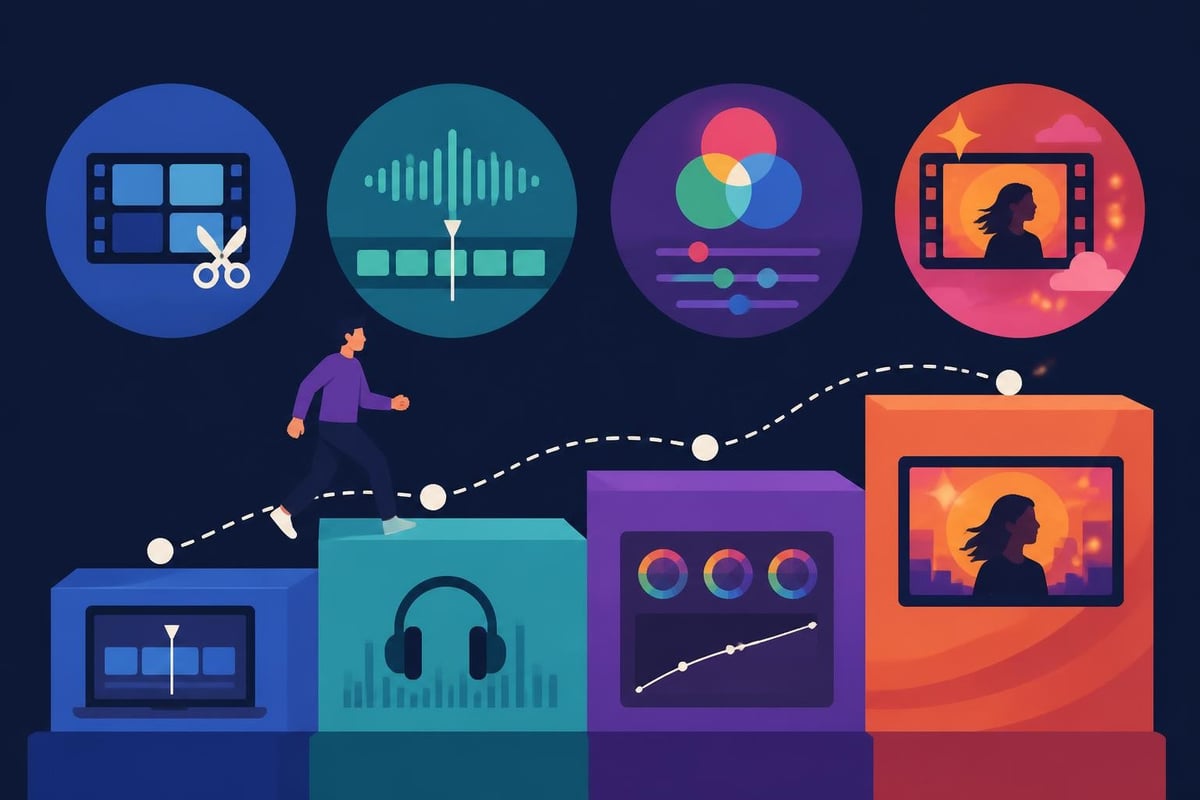
Here's the uncomfortable truth: if you're spending more time learning editing software than creating content strategy or filming, you're misallocating energy. Technical skills matter, but they're means to an end. Many successful creators focus on their core competencies and outsource the editing complexity to specialists.
"Best" doesn't mean "most expensive," but free apps come with tradeoffs worth understanding before you commit to a workflow.
DaVinci Resolve Free delivers professional results without the professional price tag. The limitations (no collaboration features, some advanced noise reduction tools locked) won't affect most music video projects. If you're committed to learning desktop editing and have zero budget, Resolve is the obvious choice.
CapCut remains completely free with no watermarks. The catch? ByteDance (TikTok's parent company) uses your engagement data to train algorithms and target ads. For many creators, that's an acceptable trade-off for professional mobile editing.
iMovie comes free on every Mac and iOS device. It's genuinely capable for straightforward music videos – beat markers, green screen, 4K support. The limitations hit when you need advanced color grading or more than two video layers.
Adobe Premiere Pro costs $22.99/month (annual commitment). Final Cut Pro switched to a one-time $299.99 purchase. Over three years:
That $527.65 difference buys a lot of other creative tools or marketing spend. But Premiere integrates with After Effects, Photoshop, and Audition – if you use the full Creative Cloud suite, the math shifts.
Consider the opportunity cost too. Spending $23/month on software but 30 hours/month editing means your effective editing cost is far higher than the subscription price. Some creators realize that dedicated editing services cost less than their own time when properly valued.
Where your audience watches shapes which features matter most. A music video for YouTube needs different optimization than one for Instagram Reels.
TikTok and Reels demand 9:16 vertical video. Many desktop apps still treat vertical as an afterthought, forcing awkward workarounds. Mobile apps natively support vertical composition and preview what viewers will actually see.
YouTube remains horizontally focused, though Shorts blurs the line. The best music video editing app for YouTube creators emphasizes quality over speed – viewers tolerate longer videos, so production value matters more than rapid publishing.
Instagram compresses aggressively. Export at higher bitrates than you'd use elsewhere, or your carefully graded colors will look muddy after compression. The best apps offer platform-specific presets that compensate for known compression issues.
File size limits catch creators constantly. TikTok allows 287.6 MB max. Instagram feed posts cap at 100 MB. Reels allow 500 MB. Your editing app should warn you before you spend ten minutes uploading a rejected file.
Understanding these technical constraints helps you choose software that handles them automatically. Many creators discover these limits through frustrating trial-and-error – ask any editor about the first time Instagram rejected their perfectly crafted video for being 2 MB over the limit.
The best music video editing app won't solve every problem. Software can't add hours to your day or multiply your creative bandwidth.
Recognition patterns signal when to reconsider your approach:
A dedicated video editor doesn't just execute your creative vision – they bring fresh eyes, professional efficiency, and specialized skills. The revision system becomes smoother because professionals understand feedback and implement changes systematically.
For those curious about home cinema and immersive audio-visual experiences that showcase music video quality, ANR media specializes in custom installations that let you appreciate every detail of professionally edited content.
Technical skills matter, but creativity drives memorable music videos. The British Film Institute’s music video history shows how limited budgets and clever concepts often outperform expensive productions lacking vision.
Constraints breed creativity. Early music videos worked within tight budgets and simple effects. Today's tools remove technical barriers, but the core challenge remains: telling a compelling story in 2-4 minutes while syncing to music.
Study successful videos in your genre:
The best music video editing app gives you tools, but you bring vision. Software evolves constantly, but storytelling principles remain consistent. Master the craft, and the tools become extensions of your creativity rather than obstacles to overcome.
Choosing the right editing app matters, but what matters more is actually finishing and publishing your music videos consistently. Whether you're testing mobile apps for quick social content or diving into desktop software for cinematic projects, the goal stays the same: connecting with your audience through compelling visual stories. When editing complexity threatens your creative output or time constraints limit your publishing frequency, beCreatives offers unlimited video editing services with dedicated editors who handle the technical execution while you focus on strategy, filming, and growing your audience.
Discover how post production video editing transforms raw footage into professional content. Learn workflows, tools, and outsourcing tips.
Master video editing HD quality standards, encoding settings, and workflow best practices to deliver professional content in 2026.
Discover what makes a YouTube video editing course worth your time in 2026, plus smarter alternatives for busy creators and agencies.
Looking to hire video editor for YouTube? Discover the best hiring strategies, what to look for, and how to build a winning content team in 2026.
Discover the best music video editing software for 2026. Compare features, pricing, and workflow tools to create stunning music videos faster.
Looking for a video editing company near me? Learn how to choose the right partner, what to expect, and whether local is best in 2026.
Discover how video editing AI online is changing content creation in 2026. Explore smart tools, workflows, and what creators really need to know.
Master wedding videography editing with expert tips on storytelling, pacing, and delivery. Learn how to transform raw footage into cinematic films.
Choosing an HD video editing app in 2026? Discover features, performance tips, and how professionals handle high-definition content.
Discover the best free simple editing software for videos and photos in 2026. Compare features, learn what works, and decide when to DIY or outsource.

Editing videos yourself can take a lot of your precious time, but do not worry – we‘ve got you covered! Our highly skilled Video Editors are here to speed up the process and give you time to create more content.








