
Post Production Video Editing: Complete Guide for 2026
Discover how post production video editing transforms raw footage into professional content. Learn workflows, tools, and outsourcing tips.
10 Min. ReadRead More
5 dedicated editor spots open this week. Book a call to reserve →

 Kiara WalkerCocktales Podcast
Discover the best editing for YouTube in 2026. Compare top tools, workflows, and outsourcing options to grow your channel faster.
 Knowledge Base
August 10, 2026
YouTube isn't getting any easier. With over 500 hours of video uploaded every minute, standing out means more than just hitting record. The best editing for YouTube separates viral content from videos that disappear into the algorithm void. Whether you're a solo creator juggling a dozen projects or an agency managing multiple client channels, your editing workflow directly impacts your growth, watch time, and revenue. The good news? You have more options than ever in 2026 for creating scroll-stopping content without burning out.
YouTube editing isn't the same as editing for Instagram Reels or TikTok. The platform rewards retention, so your cuts need to hold attention for minutes, not seconds. Great YouTube editing balances pacing, storytelling, and strategic hooks that keep viewers clicking "next video" instead of bouncing.
The first 30 seconds determine whether viewers stick around. Successful YouTube editors cut ruthlessly during this window, removing hesitations, long pauses, and slow wind-ups. Pattern interrupts like quick cuts, zoom-ins, and visual effects every 3-5 seconds prevent viewer drop-off.
Key retention techniques include:
Mid-roll retention matters just as much. The best editing for YouTube maintains consistent pacing throughout, using chapter markers, progress indicators, and teaser hooks before potential exit points. Research on YouTube engagement shows that controversial or high-engagement content requires careful editorial balance to maximize both retention and monetization potential.
YouTube's algorithm favors certain technical specifications. Your editing workflow should output videos in 1920×1080 minimum resolution, though 4K (3840×2160) performs better in search rankings. Frame rates of 24fps, 30fps, or 60fps all work, but consistency matters more than choosing the "perfect" number.
Audio quality often matters more than video quality. The best editing for YouTube includes noise reduction, compression to normalize volume levels, and strategic use of royalty-free music that doesn't compete with voiceover. Your final export should use H.264 codec, MP4 format, and stay under 128GB to ensure smooth uploads.
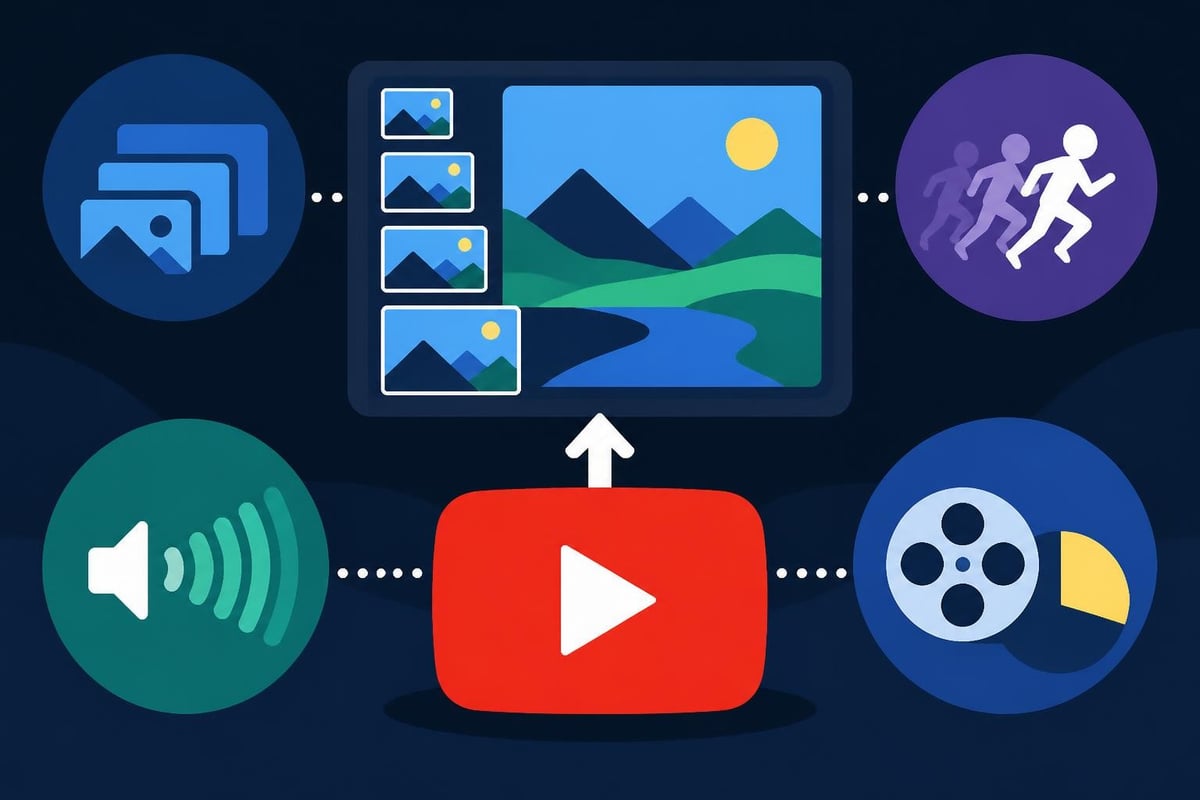
The software landscape has exploded in 2026, with options ranging from free mobile apps to professional suites costing thousands. Choosing the right tool depends on your content type, skill level, and how much time you want to spend editing versus creating.
Adobe Premiere Pro remains the industry standard, offering unlimited tracks, advanced color grading, and seamless integration with After Effects for motion graphics. It handles 8K footage without breaking a sweat, but the learning curve is steep and the $54.99/month subscription adds up fast. Creative Bloq’s comprehensive software guide breaks down the pros and cons of professional-level editing tools available in 2026.
DaVinci Resolve offers professional features with a generous free tier, making it attractive for budget-conscious creators. The color correction tools are unmatched, though the interface feels less intuitive than competitors. Final Cut Pro remains a Mac-only favorite, with magnetic timeline features that speed up basic edits considerably.
| Software | Monthly Cost | Best For | Learning Curve |
|---|---|---|---|
| Adobe Premiere Pro | $54.99 | Professional creators, agencies | Steep |
| DaVinci Resolve | Free/$295 | Color grading, feature films | Moderate-Steep |
| Final Cut Pro | $299 one-time | Mac users, fast turnarounds | Moderate |
| Adobe Premiere Elements | $99.99 one-time | Beginners, hobbyists | Easy |
Adobe Premiere Elements 2026 bridges the gap between consumer and professional tools, offering guided editing modes alongside advanced features. It's ideal for creators who want room to grow without paying monthly fees.
AI has transformed video editing from tedious to almost automatic in some workflows. Tools like Descript transcribe your video, letting you edit by deleting text rather than scrubbing through timelines. Remove filler words like "um" and "uh" with one click, or generate AI voices to fix audio mistakes.
Kapwing leads the AI editing revolution with features like automatic subtitle generation, background removal without green screens, and smart scene detection that suggests cut points. TechRadar’s Kapwing review highlights how AI-powered tools are making professional-quality editing accessible to non-editors.
AI editing capabilities in 2026:
The catch? AI tools work best for straightforward content like talking-head videos, interviews, and educational content. Complex storytelling, creative transitions, and brand-specific styles still need human judgment. Academic research on AI in content creation reveals that most successful creators use AI to handle repetitive tasks while focusing their creative energy on strategic decisions.
Mobile editing has matured beyond basic trimming. CapCut dominates the space with desktop-quality features in a free mobile package, including keyframe animation, chroma keying, and multi-track editing. Adobe Premiere Rush offers a simplified mobile workflow that syncs projects across devices, perfect for creators who start edits on phones and finish on desktops.
The latest mobile editing apps provide surprising power for on-the-go creators. LumaFusion on iPad rivals desktop tools for complexity, while InShot keeps things simple for quick social media edits. The best editing for YouTube often starts with mobile rough cuts during commutes, finished later on more powerful machines.
Software matters less than workflow. The difference between spending 10 hours per video versus 2 hours comes down to systems, templates, and strategic shortcuts that compound over time.
Organization before filming cuts editing time dramatically. Create a shot list during scripting so you know exactly what B-roll you need. Use a naming convention for files (date_project_version) so you never hunt for the right clip. Record separate audio on dedicated microphones rather than relying on camera audio that needs extensive cleanup.
Pre-production checklist for faster editing:
Templates transform repetitive work into drag-and-drop simplicity. Create intro sequences, lower-third templates, and standard transition styles once, then reuse them across dozens of videos. This builds brand consistency while slashing production time.
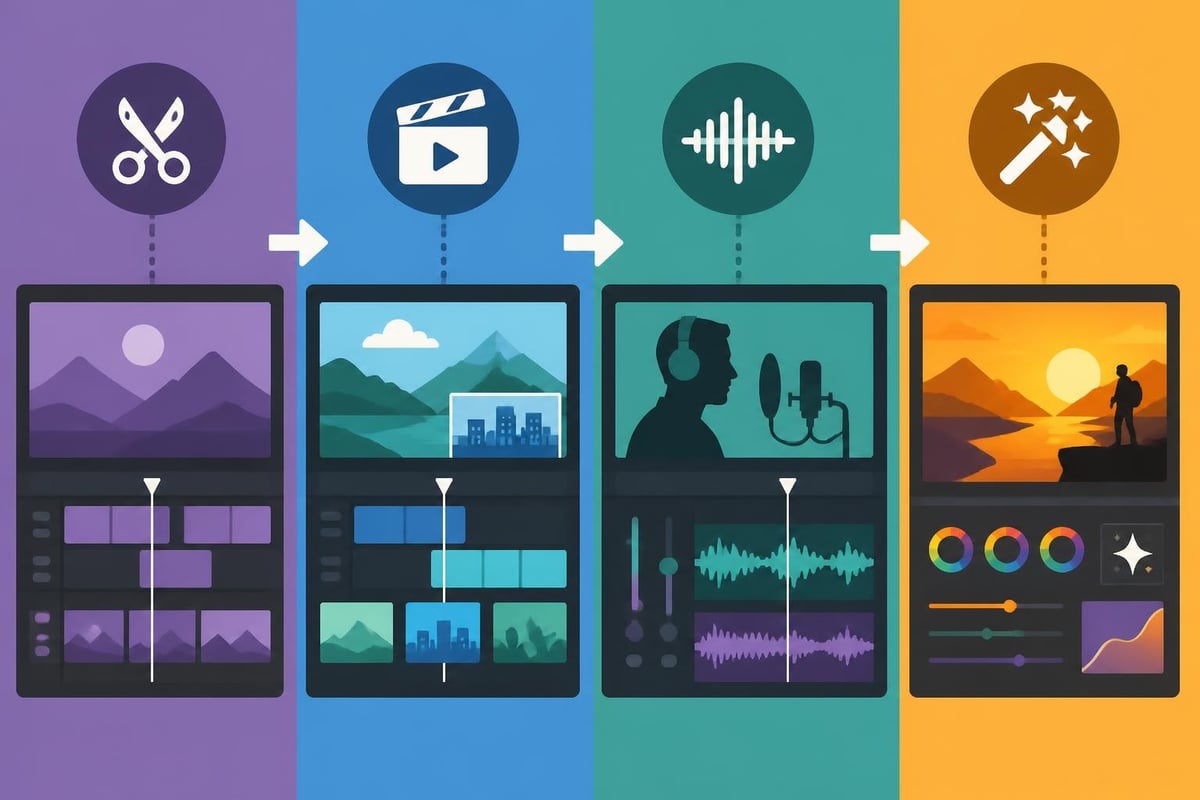
Professional YouTube editors work in passes rather than completing one video start to finish. The first pass focuses purely on content: trimming footage, arranging clips in the right order, and removing obvious mistakes. The second pass adds B-roll and visual interest. The third handles audio mixing and color correction. The final pass adds motion graphics, text overlays, and thumbnail creation.
This assembly-line approach lets you batch similar tasks, using the same tools and mental mode for extended periods. It's dramatically more efficient than constantly switching between creative and technical thinking. When managing multiple YouTube channels, you can edit 5 videos to rough-cut stage, then polish all 5 with consistent style and quality.
| Editing Pass | Focus Area | Time Estimate | Tools Used |
|---|---|---|---|
| Pass 1: Assembly | Content cuts, sequencing | 30-45 min | Timeline, razor tool |
| Pass 2: Visual | B-roll, transitions | 20-30 min | Stock footage, effects |
| Pass 3: Audio | Music, SFX, mixing | 15-25 min | Audio mixer, EQ |
| Pass 4: Polish | Graphics, color, export | 20-30 min | Text tools, color panels |
Learning keyboard shortcuts might seem tedious, but the time savings are exponential. In Premiere Pro, mastering just 10 shortcuts (C for cut, V for select, spacebar for play/pause, J-K-L for rewind-pause-forward) speeds up basic editing by 40%. Add in ripple delete, blade tool, and marker placement, and you're working twice as fast.
Custom keyboard layouts take this further. Map your most-used effects to single keystrokes. If you constantly add zoom transitions, putting that on one button saves thousands of clicks across a year of editing. The best editing for YouTube prioritizes speed without sacrificing quality, and shortcuts make that possible.
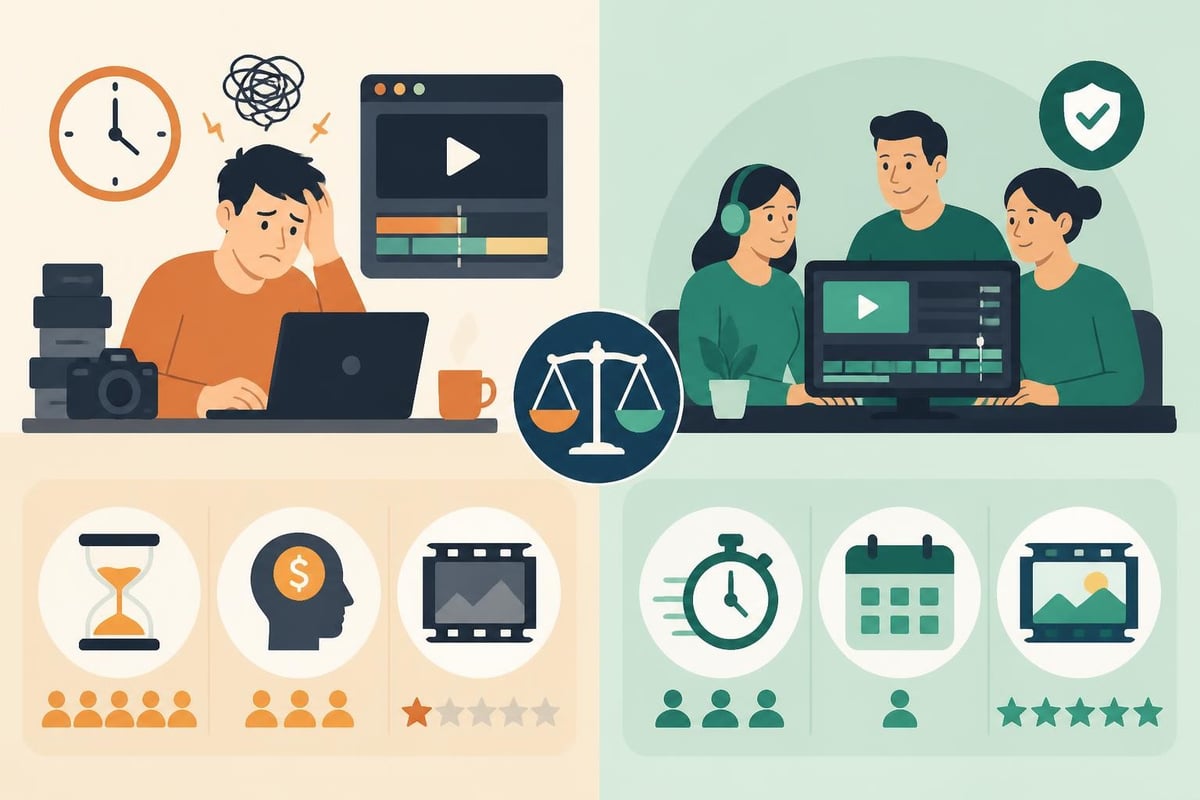
Here's the truth nobody talks about: editing takes time you could spend creating more content, building partnerships, or actually growing your business. A 10-minute YouTube video typically requires 3-8 hours of editing, depending on complexity. That's half a workday or more per video.
Calculate your hourly rate. If you make $50/hour from client work, YouTube sponsorships, or your primary business, spending 5 hours editing one video costs you $250 in opportunity cost. That doesn't include the mental fatigue from context-switching between creative and technical work, or the reality that most creators aren't professional editors.
Hidden costs of self-editing:
Professional video editors work faster because they edit all day, every day. What takes you 5 hours takes them 90 minutes. They know shortcuts, have template libraries, and make confident decisions without second-guessing every transition. The best editing for YouTube often comes from specialists who live and breathe post-production.
Hiring a YouTube video editor gives you more than just finished videos. You get consistency across your channel, faster turnaround times that let you publish more frequently, and access to advanced techniques you'd never learn on your own.
Modern editing services like beCreatives offer unlimited editing through subscription models, making professional post-production affordable for growing channels. Instead of paying per video or per hour, you get a dedicated editor who learns your style, understands your audience, and delivers polished videos on a predictable schedule. Unlimited storage means you're not juggling hard drives, and built-in revision systems ensure you get exactly what you envision.
The mental relief matters as much as the time savings. When you finish filming, you upload raw footage and move on to the next project. No more late nights wrestling with export settings or wondering if your color grade matches last week's video. You stay in your creative zone while specialists handle the technical execution.
Not all editing services deliver equal value. Look for providers with YouTube-specific experience, demonstrated understanding of retention editing, and portfolios matching your content type. Turnaround time matters; if you publish three times weekly, you need editors who can keep pace without sacrificing quality.
Questions to ask potential editing services:
Pricing models vary widely. Some services charge per video ($50-$300 depending on complexity), while others offer monthly subscriptions starting around $400-$800 for unlimited editing. The unlimited video editing model works best for consistent creators who publish regularly and want predictable budgets. Compare video editing prices across different service types to find what aligns with your publishing schedule and budget.
Once you've mastered basic editing or found the right service partner, advanced techniques separate good YouTube channels from great ones that consistently hit viral moments and maintain loyal audiences.
Viewer attention spans fluctuate throughout videos. The best editing for YouTube uses pattern interrupts every 15-30 seconds during slower sections: a sudden zoom, a well-placed sound effect, a text popup with a surprising statistic. These micro-jolts reset attention without feeling gimmicky when executed with restraint.
Study your analytics to see exactly where viewers drop off. If 40% leave at the 2:30 mark, that's where you need a pattern interrupt, a topic shift, or a compelling teaser about what's coming next. Edit specifically to your retention graphs rather than following generic best practices.
Your thumbnail matters more than your intro. It's what gets the click. Smart creators edit with their thumbnail in mind, deliberately creating 2-3 visually striking moments during filming that work as thumbnail candidates. This might mean dramatic lighting for a reveal, an exaggerated facial expression, or a visually impressive B-roll moment.
During editing, mark potential thumbnail frames with markers. Export multiple options and A/B test them using YouTube's built-in tools. The video that gets clicked gets watched, so optimizing for that initial click often matters more than perfecting your color grade.
Consistency builds recognition. When viewers immediately recognize your editing style before seeing your name, you've achieved brand differentiation. This might be a signature transition, a specific color palette, recurring visual gags, or a unique way of presenting information.
Create a style guide documenting your fonts, colors, transition preferences, music choices, and graphic treatments. Share this with your editing team or reference it yourself to maintain consistency. Over time, your signature style becomes shorthand for quality, making new viewers more likely to subscribe after watching just one video.
The tools supporting your editing workflow matter as much as the software itself. Storage, project management, and asset organization prevent bottlenecks that slow down production.
YouTube creators accumulate terabytes of footage fast. A 4K video generates approximately 375GB per hour of raw footage. Managing this requires either massive local storage (8TB+ external drives) or cloud solutions that sync across devices and team members.
Cloud storage options like Google Drive, Dropbox, or specialized video platforms let editors access footage from anywhere while providing automatic backups. The downside is cost and upload/download time. Many creators use a hybrid approach: local SSDs for active projects, cloud backup for archived footage, and compressed proxies for remote editing.
Storage considerations for YouTube creators:
Plugins extend your editing software's capabilities without learning entirely new tools. LUTs (Look-Up Tables) apply professional color grades in one click. Transition packs provide motion-designed scene changes that would take hours to create manually. Sound effect libraries offer thousands of audio elements organized by category.
Build a curated plugin library over time rather than downloading everything available. Too many options creates decision paralysis. Focus on plugins that solve specific problems in your workflow: a denoiser for low-light footage, a stabilizer for handheld shots, or a title animator for consistent lower-thirds.
Mistakes slip through even with careful editing. Create a quality control checklist you run before publishing: check audio levels don't peak above -3dB, verify no frames are duplicated or missing, confirm color consistency across scenes, test that all links in the description work, and watch the full video at 1.5x speed to catch jarring edits.
If you work with an editing service, establish a review process. First-time editors should deliver videos 48 hours before your publish deadline, giving you time to request revisions. As they learn your style, this buffer can shrink, but never publish without personally watching the final video at least once.
The most successful YouTube channels in 2026 publish consistently, often multiple times per week. Achieving this without burning out requires systems that separate creative work from repetitive tasks.
Filming and editing in batches smooths out workload peaks. Instead of creating one video start-to-finish weekly, film four videos in one day, then edit them over the following week. This batching reduces setup time, maintains consistent energy levels, and provides buffer content for weeks when life gets chaotic.
The best editing for YouTube supports batch workflows through templates and presets that maintain consistency across multiple videos. Film your weekly tips series all at once using the same setup, then edit all four episodes back-to-back using identical style treatments. Variety comes from content, not constantly reinventing your visual approach.
Editing isn't the only task draining your time. Thumbnail creation, description writing, keyword research, social media promotion, and comment management all consume hours weekly. As your channel grows, delegate everything that doesn't require your unique voice or perspective.
Many creators resist outsourcing because they believe only they understand their content. The reality? Professional editors, thumbnail designers, and social media managers often do it better because they specialize. Your job is creating unique content and being the face of your brand. Everything else can be systemized and delegated. Services offering comprehensive support beyond just editing let you scale production while maintaining quality and consistency across all elements.
Choosing the best editing for YouTube depends on your goals, budget, and how you want to spend your time. Whether you're exploring powerful software, leveraging AI tools, or ready to hand off post-production entirely, the key is finding a system that lets you publish consistently without sacrificing quality or your sanity. If you're spending more time editing than creating, it might be time to explore how beCreatives can take video editing off your plate entirely with unlimited editing services, dedicated editors who learn your style, and the support systems that help you stay consistent, visible, and growing on YouTube.
Discover how post production video editing transforms raw footage into professional content. Learn workflows, tools, and outsourcing tips.
Master video editing HD quality standards, encoding settings, and workflow best practices to deliver professional content in 2026.
Discover what makes a YouTube video editing course worth your time in 2026, plus smarter alternatives for busy creators and agencies.
Looking to hire video editor for YouTube? Discover the best hiring strategies, what to look for, and how to build a winning content team in 2026.
Discover the best music video editing software for 2026. Compare features, pricing, and workflow tools to create stunning music videos faster.
Looking for a video editing company near me? Learn how to choose the right partner, what to expect, and whether local is best in 2026.
Discover how video editing AI online is changing content creation in 2026. Explore smart tools, workflows, and what creators really need to know.
Master wedding videography editing with expert tips on storytelling, pacing, and delivery. Learn how to transform raw footage into cinematic films.
Choosing an HD video editing app in 2026? Discover features, performance tips, and how professionals handle high-definition content.
Discover the best free simple editing software for videos and photos in 2026. Compare features, learn what works, and decide when to DIY or outsource.

Editing videos yourself can take a lot of your precious time, but do not worry – we‘ve got you covered! Our highly skilled Video Editors are here to speed up the process and give you time to create more content.








