

Finding the right editing platform can feel like dating in the digital age: overwhelming, frustrating, and full of options that all claim to be "the one." Whether you're a content creator cranking out daily TikToks, a business owner building your brand through video, or an agency managing multiple client projects, the platform you choose directly impacts your productivity, creativity, and sanity. The best editing platforms in 2026 combine powerful features with intuitive workflows, but the real question is which one fits your specific needs. Let's cut through the noise and find your perfect match.
What Makes an Editing Platform Great in 2026
The landscape of video editing has evolved dramatically. Gone are the days when power meant complexity and accessibility meant amateur-hour results.
Today's best editing platforms balance sophistication with usability. They understand that you don't have time to watch 47-hour tutorial series just to add text overlays or color grade a simple vlog. The winners in this space prioritize three things: speed, collaboration, and flexibility.
Key Features That Actually Matter
When evaluating platforms, focus on what impacts your daily workflow:
- Cloud-based collaboration for teams working remotely
- AI-powered tools that handle tedious tasks automatically
- Template libraries to maintain brand consistency
- Multi-platform export optimized for different social channels
- Intuitive timeline editing that doesn't require a computer science degree
Processing speed separates professionals from hobbyists. If you're spending 45 minutes waiting for a 2-minute video to render, you're hemorrhaging time and money. According to TechRadar’s comprehensive guide, modern platforms leverage GPU acceleration and proxy workflows to dramatically reduce wait times.

Storage capacity matters more than most people realize. When you're creating content consistently, those 4K files add up faster than your credit card debt. Unlimited storage isn't just a nice-to-have anymore, it's essential for sustainable content production.
Desktop Powerhouses: Professional-Grade Solutions
Desktop platforms still dominate the professional space, and for good reason. They offer processing power and feature depth that mobile apps can't match.
Adobe Premiere Pro: The Industry Standard
Premiere Pro remains the default choice for serious video professionals. It integrates seamlessly with the entire Adobe ecosystem, handles virtually any format you throw at it, and offers precision control over every aspect of your edit.
But here's the reality check: Premiere Pro has a learning curve steeper than your morning coffee bill. Adobe Premiere Elements 2026 attempts to bridge the beginner gap, but even Adobe's "simplified" version can overwhelm newcomers quickly.
The subscription model ($54.99/month for the full suite) adds up, especially when you're just starting out. For agencies managing multiple editors, licensing costs become a significant line item.
DaVinci Resolve: Free Doesn't Mean Amateur
DaVinci Resolve flipped the script by offering professional-grade color grading and editing tools completely free. The paid Studio version ($295 one-time) adds collaboration features and advanced effects, but the free version handles most tasks beautifully.
This platform excels at color work, making it the go-to choice for creators who want that cinematic look. The learning curve exists, but extensive free tutorials and a supportive community help newcomers navigate.
| Platform | Pricing | Best For | Learning Curve |
|---|---|---|---|
| Premiere Pro | $54.99/month | Professional workflows | Steep |
| DaVinci Resolve | Free / $295 | Color grading focus | Moderate |
| Final Cut Pro | $299 one-time | Mac users | Moderate |
| Filmora | $49.99/year | Beginners | Easy |
Mobile Editing: Creating Content Anywhere
Mobile editing has transformed from "emergency backup" to legitimate production tool. The best video editing apps now rival desktop platforms for quick-turnaround social content.
CapCut: The TikTok Creator's Secret Weapon
CapCut dominated 2025 and shows no signs of slowing down. It's free, intuitive, and packed with trending effects that social media algorithms love. For creators focused on TikTok content, CapCut understands the platform's native language.
The app includes:
- Trending templates updated weekly
- Auto-captions in multiple languages
- Beat-syncing for music-driven content
- Green screen effects without complicated setup
- Direct export optimized for TikTok, Instagram, and YouTube Shorts
The catch? Limited control over advanced editing features and occasional bugs with complex projects. It's perfect for quick social posts but struggles with longer-form content.
Adobe Premiere Rush: Cross-Platform Simplicity
Premiere Rush bridges mobile and desktop workflows. Start editing on your phone during your commute, refine on your tablet during lunch, and finish on your desktop. Projects sync seamlessly through Adobe's cloud.
The interface sacrifices some of Premiere Pro's power for accessibility, making it ideal for content creators who need consistent output without mastering professional-grade software. At $9.99/month, it's Adobe's most affordable entry point.

Cloud-Based Platforms: The Future of Collaboration
Cloud-based editing platforms changed the game for distributed teams and agencies. They eliminate version control nightmares and make collaboration actually enjoyable.
Frame.io: Built for Teams
Frame.io isn't just an editor; it's a complete collaboration ecosystem. Teams can review, comment, and approve projects without endless email chains or confusing file-naming conventions.
Real-world application: Agencies managing multiple clients love Frame.io because it centralizes communication. Clients can leave timestamped comments directly on the video, eliminating the "can you make the thing more… you know… punchy?" feedback that haunts every editor's nightmares.
The platform integrates with major editing software, so your team can work in their preferred environment while maintaining centralized project management. Pricing starts at $19/month per user, scaling with team size.
Descript: The Text-Based Revolution
Descript flipped video editing on its head by making it text-based. Edit your video by editing the transcript. Delete an "um," and it vanishes from the video. Rearrange sentences, and the clips follow.
For podcasters and interview-heavy content, this approach saves hours. The AI voice cloning feature lets you fix mistakes by typing what you should have said. Slightly creepy? Maybe. Incredibly useful? Absolutely.
Descript starts at $12/month for creators, with team plans scaling up. The learning curve is minimal because you're essentially editing a document.
The Outsourcing Alternative: When Platforms Aren't Enough
Here's the uncomfortable truth: even the best editing platforms require significant time investment. Learning the software, staying updated with new features, actually doing the editing, managing storage, troubleshooting exports – it all adds up.
Many successful content creators and businesses reach a point where owning the platform doesn't solve the real problem: finding time to actually edit.
When DIY Stops Making Sense
You started creating content to grow your business, build your brand, or share your expertise. Somewhere along the way, you became a part-time video editor instead of focusing on what you do best.
The math is simple but brutal:
- Average editing time for a 10-minute YouTube video: 3-5 hours
- Your hourly rate: $100+ (if you're honest about your time value)
- Cost of that "free" edit: $300-500 in opportunity cost
This doesn't even account for:
- Learning time for new features and updates
- Technical troubleshooting when exports fail
- Storage management and backups
- Keeping up with platform trends and best practices
Similar to how businesses outsource customer support to specialized providers like Focus Services to focus on core operations, smart content creators are increasingly delegating editing to dedicated professionals who live and breathe video production.
AI-Powered Editing: The 2026 Game-Changer
Artificial intelligence transformed editing platforms from tools into intelligent assistants. The advancements highlighted in recent video editing benchmarks show how instruction-guided editing is becoming more sophisticated and accessible.
What AI Actually Does Well
Automatic subtitle generation reached near-perfect accuracy in 2026. Platforms now handle multiple speakers, correct grammar, and even style captions to match your brand guidelines.
Scene detection intelligently identifies shot changes, making rough cuts dramatically faster. Feed in your raw footage, and AI suggests logical cutting points based on content and pacing.
Color matching between clips happens automatically. The AI analyzes your footage and creates consistent looks across different cameras, lighting conditions, and shooting days.
What AI Still Can't Replace
Despite the hype, AI struggles with creative decision-making. It can't determine which moment resonates emotionally or how to structure a narrative for maximum impact. The best editing platforms use AI to handle technical grunt work while keeping creative control with humans.
Pattern recognition works differently for AI and humans. While VEBench research demonstrates impressive capabilities in evaluating editing quality, AI still lacks the cultural context and emotional intelligence that makes video content truly connect with audiences.
Choosing Your Platform: The Decision Framework
Stop obsessing over features you'll never use. Most creators utilize about 20% of any platform's capabilities.
Ask These Questions First
What's my primary content format? Short-form social, long-form YouTube, corporate videos, or podcasts each favor different platforms.
Am I working solo or with a team? Collaboration features add cost and complexity you might not need.
What's my existing tech ecosystem? If you're already paying for Adobe Creative Cloud, Premiere Rush makes sense. Mac users should seriously consider Final Cut Pro.
How much time can I realistically invest in learning? Honesty matters here. Buying Premiere Pro won't make you a better editor if you never learn to use it.
What's my actual budget? Include hidden costs like plugins, storage upgrades, and your time value.
| Decision Factor | Budget Option | Mid-Range | Premium |
|---|---|---|---|
| Cost | CapCut (Free) | Filmora ($49.99/year) | Premiere Pro ($54.99/month) |
| Learning Time | 2-5 hours | 10-20 hours | 40+ hours |
| Feature Depth | Basic | Intermediate | Professional |
| Best For | Quick social posts | Regular content creators | Professional productions |

Platform Limitations Nobody Talks About
Every platform has dealbreakers hiding beneath the marketing gloss. TechRadar’s Clipchamp review highlights how Microsoft's free editor, while accessible, hits frustrating limitations for serious creators.
The Export Quality Trap
Free and budget platforms often restrict export quality. You'll create beautiful content in 4K, then discover you can only export in 720p without upgrading. Read the fine print before investing hours in a platform.
The Plugin Ecosystem Problem
Some platforms thrive because of third-party plugins. Others lock you into their ecosystem. Premiere Pro's extensive plugin library provides endless possibilities but also endless opportunities to spend money chasing specific effects.
The Update Treadmill
Platforms constantly update, which sounds great until a critical update breaks your workflow mid-project. Cloud-based platforms update automatically, giving you zero control over timing. Desktop platforms let you delay updates, but you risk compatibility issues.
Making Peace with Imperfection
The best editing platforms won't make you a better storyteller. They're tools, not magic wands.
You don't need the fanciest platform. You need consistent output that serves your audience and supports your goals. The creator with a $10/month mobile app who publishes three times weekly will outperform the perfectionist with a $5,000 setup who never hits publish.
Focus on progress over perfection. Your first 100 videos will be rough regardless of your platform. The learning happens through doing, not through buying better software.
Many successful creators eventually discover that the platform itself isn't the bottleneck. The real constraint is editing time and creative energy. That's when exploring services becomes smarter than buying another subscription.
Whether you're just starting with basic clip editing or managing complex productions, matching your platform to your actual needs (not imagined future needs) prevents wasted money and frustration.
The Hidden Cost of DIY Everything
Content creators pride themselves on wearing multiple hats, but there's a difference between scrappy and stupid. When you're spending more time learning keyboard shortcuts than developing content strategy, something's broken.
Calculate your actual cost per video:
- Filming time
- Organizing footage
- Editing hours
- Revision rounds
- Export and upload time
- Troubleshooting technical issues
Multiply those hours by your real hourly rate. Most creators are shocked when they run this math honestly.
The best editing platforms make the technical process smoother, but they can't create time you don't have. Real creator case studies consistently show that outsourcing editing unlocks exponential growth because it frees creators to focus on what actually drives business results.
Specialized Platforms for Specific Needs
Niche platforms excel in specific verticals. Wedding video editing requires different tools than corporate training videos or YouTube gaming content.
Podcast editors benefit from platforms like Descript that understand audio-first workflows. Tutorial creators need strong screen recording integration. Product reviewers require robust color grading for accurate product representation.
Don't force a general-purpose platform into specialized work. The "best" platform depends entirely on your content type and workflow preferences.
The Support System You're Not Considering
Technical support separates professional platforms from consumer toys. When you're on deadline and exports keep failing, responsive support is worth its weight in gold.
Community support through forums and user groups provides troubleshooting help and creative inspiration. Platforms with active communities (like DaVinci Resolve) offer solutions to problems before you even know you have them.
Tutorial availability accelerates learning. Premiere Pro's massive user base means you'll find tutorials for virtually any technique. Newer platforms with smaller communities leave you figuring things out solo.
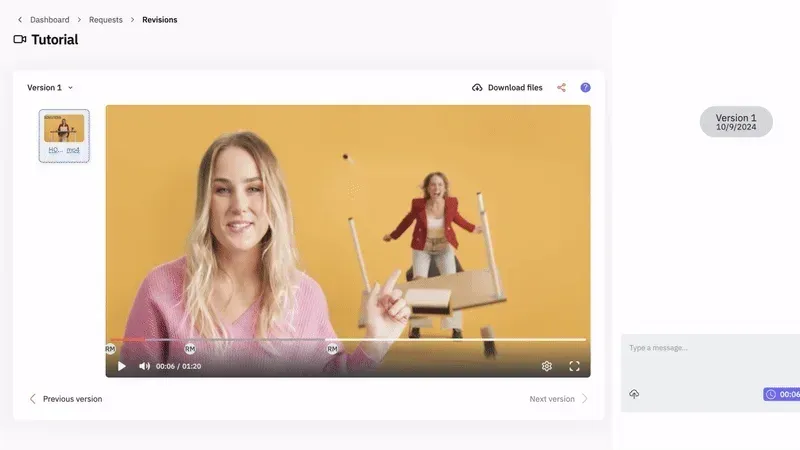
Some creators discover they need human support beyond software tutorials. That's where dedicated editing teams with proper communication systems and revision workflows become invaluable. Having actual editors who understand your brand and respond to feedback transforms content production from stressful to sustainable.
Platform Trends Shaping 2026 and Beyond
The editing landscape keeps evolving. Staying aware of trends helps you make future-proof decisions.
Browser-based editing continues improving. Platforms like Kapwing and Clipchamp deliver surprisingly robust features without downloads or installations. Perfect for teams that need consistent access across different devices.
AI integration becomes table stakes. Platforms without smart features feel increasingly dated. Expect automatic b-roll suggestions, intelligent audio mixing, and AI-generated draft cuts becoming standard.
Social platform integration tightens. Direct publishing to TikTok, Instagram, YouTube, and LinkedIn from within editing platforms eliminates steps and streamlines workflows.
Subscription fatigue drives demand for one-time purchase options and all-inclusive services. Creators are tired of managing ten different subscriptions just to produce content.
The future points toward either hyper-specialized platforms for specific content types or comprehensive services that handle the entire editing process from upload to publication.
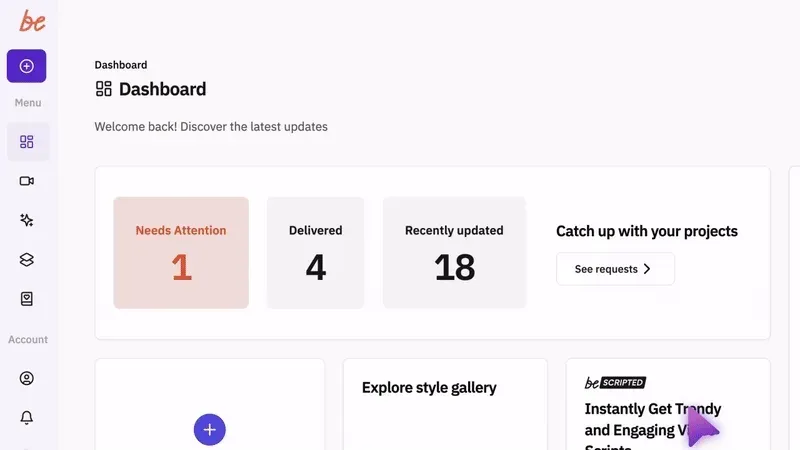
Choosing among the best editing platforms ultimately comes down to matching features with your actual workflow, budget, and time constraints. But if you're spending more time editing than creating, you're solving the wrong problem. beCreatives offers unlimited video editing with dedicated editors, unlimited storage, and seamless communication systems designed specifically for content creators, business owners, and agencies who need consistent output without the editing headaches. Stop managing software subscriptions and start shipping more content that actually grows your brand.