

Cyber Monday: unlock $1,866 in bonuses.

May Offer: 20% off quarterly plans. Start Today →

Online Auto Video Editor: Speed Up Your Workflow in 2026

Discover how an online auto video editor can transform your content creation process with AI-powered editing, automated cuts, and time-saving tools.
Knowledge Base

Creating video content in 2026 means juggling deadlines, platform algorithms, and audience expectations that keep rising. Whether you're a content creator filming daily vlogs, a marketer managing multiple campaigns, or an agency owner with client deliverables stacking up, the editing phase can feel like quicksand. That's where technology steps in to save your sanity. An online auto video editor uses artificial intelligence to handle repetitive editing tasks automatically, cutting your production time dramatically while maintaining professional quality. These tools don't just trim clips-they detect scenes, sync music to beats, remove awkward pauses, and even generate subtitles without you lifting a finger. Let's explore how automated editing technology is reshaping content workflows and what it means for creators who want to stay visible without burning out.

Why Automated Video Editing Matters for Modern Creators

Time is the scarcest resource for anyone creating content regularly. Traditional editing requires you to scrub through footage frame by frame, manually cutting unwanted sections, adjusting audio levels, and adding effects one at a time. That process might take hours for a single video.

An online auto video editor flips this equation entirely. These platforms analyze your footage using machine learning algorithms that recognize patterns humans spend years learning to spot. They identify natural cut points, detect when you're pausing or saying "um," and even understand which moments in your footage deserve highlighting.

Here's what automation handles for you:

  • Removing silent gaps and filler words from interviews or talking-head videos
  • Detecting scene changes and splitting footage into logical segments
  • Syncing video cuts to music beats for dynamic pacing
  • Generating accurate subtitles with timestamps
  • Applying consistent color grading across multiple clips
  • Creating platform-specific versions (square for Instagram, vertical for TikTok)

The research community has been exploring these capabilities extensively. Studies on automated video summarization techniques demonstrate how algorithms can identify the most important moments in raw footage, essentially doing the creative heavy lifting that traditionally required human judgment.

Automated video editing workflow

For creators managing YouTube Shorts or other short-form content, speed matters as much as quality. An automated editor lets you turn around content in hours instead of days.

Key Features That Define Quality Auto Editors

Not all automated editing platforms are created equal. The best ones combine powerful AI with intuitive interfaces that don't require technical expertise. When evaluating options, you'll want features that actually save time without sacrificing your creative vision.

Intelligent Scene Detection and Cutting

Smart editors analyze your footage to understand where natural breaks occur. They recognize when you've stopped speaking, when camera angles change, or when new subjects enter the frame. This eliminates the tedious work of manually marking every cut point.

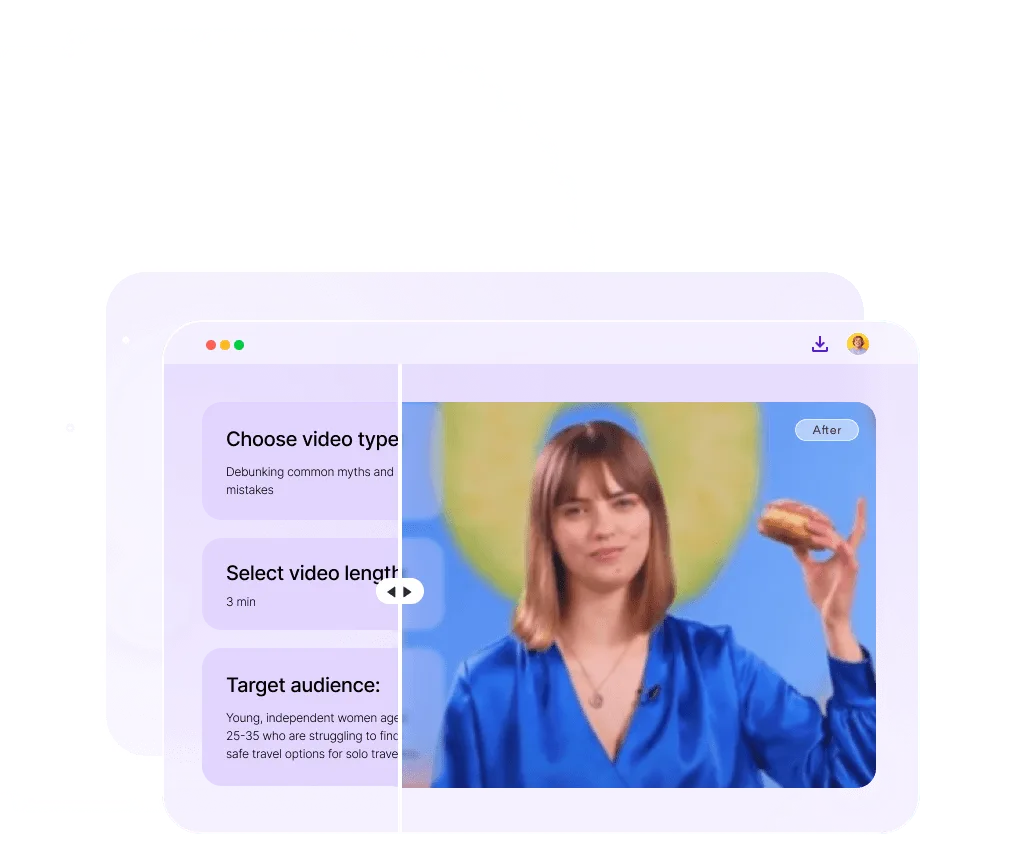
Tools like FlexClip’s AI auto video editor use text-based editing, meaning you can edit your video by literally editing a transcript. Delete a sentence from the script, and the corresponding video section disappears automatically.

Automatic Subtitle and Caption Generation

Creating accurate subtitles manually is mind-numbingly slow. Auto editors transcribe your audio in real time, generating subtitles that sync perfectly with your dialogue. This isn't just convenient-it's essential for accessibility and engagement since most social media videos play without sound initially.

Advanced platforms even let you customize subtitle styling to match your brand, applying the same fonts, colors, and animations across all your videos consistently.

FeatureManual Editing TimeAutomated TimeTime Saved
Subtitle Generation (10-min video)45-60 minutes2-3 minutes~90%
Scene Detection & Cuts30-45 minutes1-2 minutes~95%
Audio Cleanup20-30 minutes30 seconds~98%
Multi-Platform Resizing15-20 minutes1 minute~95%

Beat-Synchronized Editing

Music makes or breaks video pacing. Auto editors like Beat2Cut automatically detect beats in your soundtrack and suggest cut points that align with the rhythm. This creates professional-looking transitions without requiring musical training or hours of fine-tuning.

Your cuts land on the downbeat naturally, creating that polished feel viewers associate with high-production content.

Filler Word Removal

We all say "um," "uh," and "like" more than we realize when recording. An online auto video editor scans your audio track, identifies these verbal tics, and removes them seamlessly while smoothing over the resulting gaps. The result sounds natural, confident, and professional.

How Different Creators Use Auto Editing Tools

The beauty of automated editing is its versatility. Different creators face different bottlenecks, and automation adapts to solve specific workflow challenges.

Content creators and influencers often batch-record videos but struggle with the editing backlog. They might film five talking-head videos in one session but spend the next week editing. Auto editors compress that week into hours, letting them maintain consistent posting schedules without sacrificing their personal time.

Platforms like CapCut’s AI-powered auto video editor specialize in short-form content, automatically generating cuts optimized for TikTok, Instagram Reels, and YouTube Shorts with minimal input.

Marketing teams juggle multiple campaigns across different platforms simultaneously. They need to produce product demos, testimonials, educational content, and ads-often from the same raw footage. Auto editors let them generate multiple versions quickly, each tailored to specific platform requirements and audience preferences.

Agencies face the challenge of maintaining consistent quality across different clients and projects. Automated tools help standardize workflows, ensuring every video meets minimum quality standards before human editors add creative polish. This hybrid approach maximizes efficiency while preserving brand uniqueness.

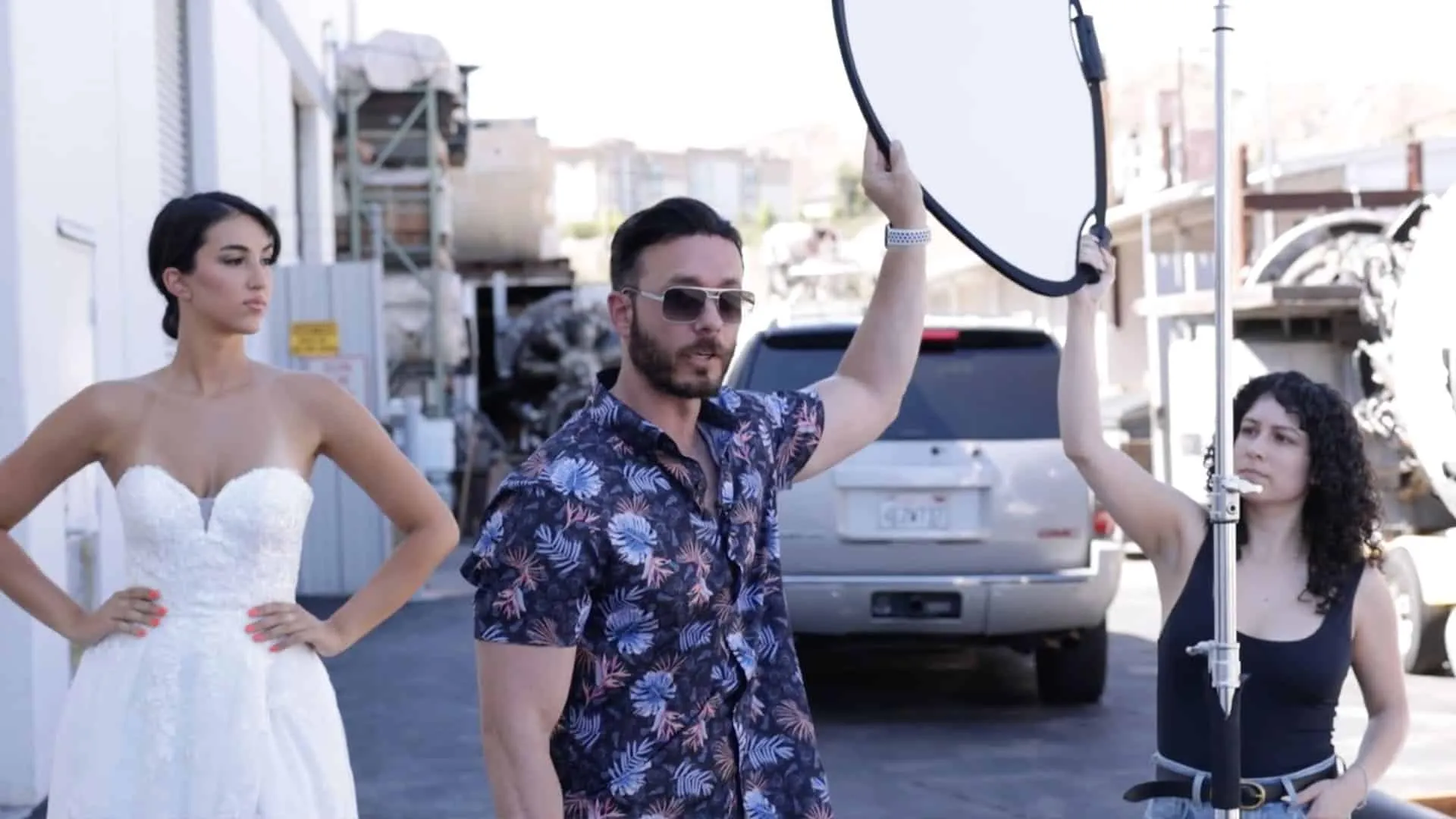
Different creator workflows

For those working specifically with social media video editing, automation handles the platform-specific requirements automatically-aspect ratios, length limits, and format specifications that vary between Instagram, TikTok, LinkedIn, and YouTube.

The Technology Behind Smart Editing

Understanding what's happening under the hood helps you choose the right tool and use it effectively. Modern auto editors rely on several interconnected AI technologies.

Computer Vision for Scene Analysis

Machine learning models analyze your video frames to understand what's happening visually. They detect faces, recognize objects, identify motion patterns, and understand composition. This lets the software make intelligent decisions about what to keep and what to cut.

Recent research on instructional video editing frameworks demonstrates how AI can understand narrative structure within videos, enabling more sophisticated editing decisions that preserve story flow and logical progression.

Natural Language Processing for Audio

Audio transcription has become remarkably accurate thanks to deep learning models trained on millions of hours of speech. These systems don't just convert speech to text-they understand context, identify speakers, and detect emotional tone.

This makes subtitle generation more than accurate; it becomes contextually aware, properly capitalizing brand names, using correct punctuation, and even identifying sarcasm or emphasis.

Beat Detection Algorithms

Audio processing algorithms analyze your music tracks to identify tempo, rhythm patterns, and structural elements like verses and choruses. They map these musical features to optimal cut points in your video timeline.

The result feels intentional and professional, with visual cuts that enhance rather than fight against your soundtrack.

Choosing Between Automated Tools and Professional Services

Here's the reality: an online auto video editor is incredibly powerful for certain tasks, but it's not magic. Understanding when automation helps and when human expertise matters will transform your content quality.

Automation excels at:

  • Repetitive technical tasks (cutting, trimming, resizing)
  • Speed-critical content with short shelf lives
  • High-volume projects requiring consistent formatting
  • Initial rough cuts that establish basic structure
  • Platform-specific optimization and formatting

Human editors shine at:

  • Creative storytelling and narrative arc development
  • Complex multi-camera projects with intricate transitions
  • Brand-specific style and personality infusion
  • Emotional resonance and subtle pacing decisions
  • Strategic content that requires deep audience understanding

The smartest approach combines both. Use automation to handle the grunt work, then bring in professional expertise for the finishing touches that make content memorable. This is exactly how modern production workflows achieve both speed and quality.

Many creators discover that outsourcing video editing to dedicated professionals who leverage automated tools strategically delivers the best of both worlds-speed without sacrificing the creative nuance that makes content stand out.

Platform-Specific Considerations

Different platforms have different content requirements, and your editing approach should adapt accordingly. An online auto video editor can handle much of this adaptation automatically, but knowing the nuances helps you make smarter choices.

Short-Form Vertical Content

TikTok, Instagram Reels, and YouTube Shorts demand fast pacing, immediate hooks, and vertical formatting. Auto editors specialized in short-form content automatically apply quick cuts, add trending audio, and format everything for 9:16 aspect ratios.

Tools like Trupeer’s AI-powered auto video editor are specifically designed to transform longer footage into highlight clips perfect for these platforms, automatically detecting the most engaging moments.

If you're regularly producing content for these platforms, specialized TikTok video editing or Instagram Reels editing services can ensure your content follows platform-specific best practices while maintaining your unique style.

Long-Form Educational Content

YouTube tutorials, courses, and educational videos require different treatment. Here, clarity and comprehension matter more than rapid pacing. Auto editors help by generating detailed chapters, adding on-screen annotations at key moments, and creating searchable transcripts.

The focus shifts from entertainment hooks to information architecture-making sure viewers can follow complex concepts and easily reference specific sections later.

Product and E-commerce Videos

Product demonstrations need to show details clearly while maintaining viewer engagement. Automated tools can standardize your product video format, ensuring consistent lighting representation, highlight key features at predetermined intervals, and add comparison overlays automatically.

Common Mistakes to Avoid

Even powerful automation can produce mediocre results if used incorrectly. Here's what trips up creators when they first adopt auto editing tools.

Over-relying on defaults. Most auto editors come with preset styles and templates. Using these without customization makes your content look generic and identical to everyone else using the same tool. Always adjust default settings to reflect your brand.

Ignoring audio quality. Automation can't fix fundamentally bad audio. If your source recording has background noise, echo, or inconsistent levels, automated cleanup has limits. Invest in decent recording equipment first.

Skipping human review. Auto editors occasionally make weird decisions-cutting mid-sentence, leaving in awkward pauses, or choosing strange transition points. Always review automated edits before publishing. A five-minute review can catch glaring issues that damage credibility.

Forgetting accessibility. While automated subtitle generation is powerful, the AI sometimes misses technical terms, brand names, or unusual pronunciations. Edit your auto-generated captions for accuracy to ensure accessibility and professionalism.

Neglecting brand consistency. Auto editors optimize for engagement metrics, but they don't understand your brand voice or visual identity. Apply your brand's color grading, fonts, and intro/outro sequences manually to maintain consistency.

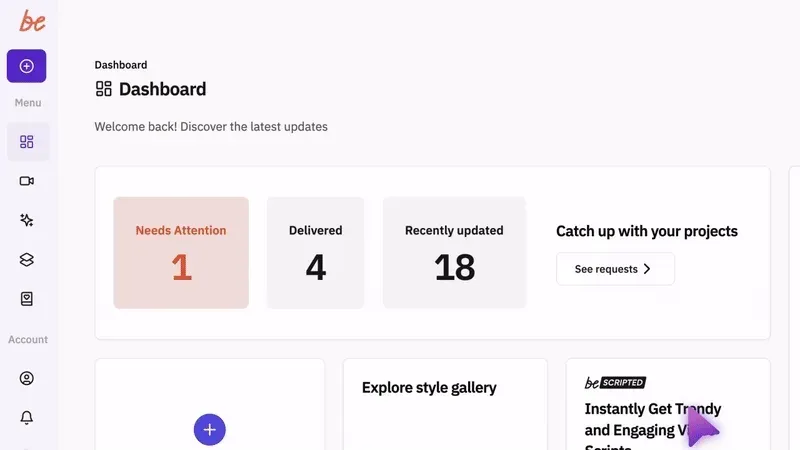
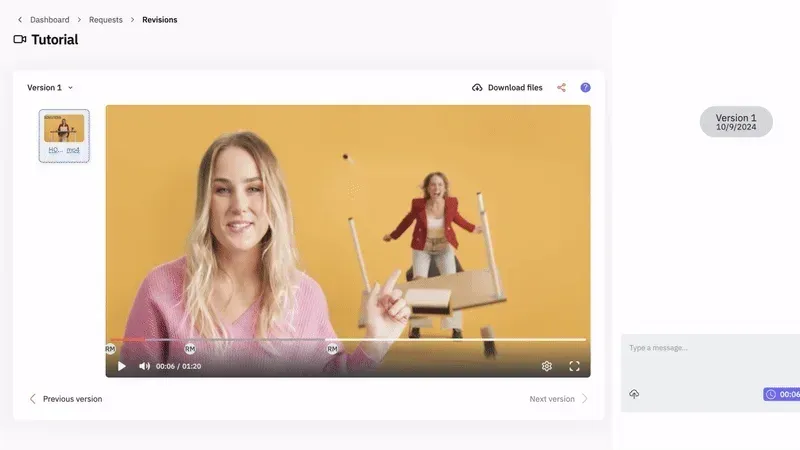
Video editing workflow best practices

The ROI of Automated Editing

Time saved translates directly to money earned-or at least money not spent. Let's break down the actual numbers.

If you're editing videos yourself, you're probably spending 3-5 hours per video for decent quality. At even a modest valuation of your time ($50/hour), that's $150-250 per video in opportunity cost. An online auto video editor reduces this to maybe 30-60 minutes of review and adjustment time-$25-50 per video.

ScenarioTime Per VideoCost Per VideoMonthly Cost (8 videos)
Full Manual Editing4 hours$200$1,600
Auto Editor + Review45 minutes$37.50$300
Professional Service30 minutes (briefing)$150-300$1,200-2,400

For agencies billing clients, faster turnaround means higher client satisfaction and the ability to accept more projects without expanding your team. The same principle applies to in-house marketing teams who can produce more content with existing resources.

Professional services that combine automation with human expertise often provide the best value for creators who want both speed and quality without learning complex software. When you're looking for video editing ideas or exploring what's possible, seeing examples of professional work helps calibrate your expectations and identify your own style preferences.

Privacy and Security Considerations

When you upload footage to an online auto video editor, you're trusting that platform with your content. This matters significantly if you're working with sensitive client material, unreleased products, or confidential information.

Key questions to ask before choosing a platform:

  • Where is your uploaded content stored, and who has access?
  • Does the platform use your videos to train their AI models?
  • How long is your content retained after processing?
  • What happens to your footage if you cancel your subscription?
  • Are there enterprise-level agreements available for sensitive projects?

Reputable platforms are transparent about their data practices. Read the terms of service carefully, especially regarding content ownership and usage rights. Some free or low-cost tools explicitly state they may use uploaded content for promotional purposes or model training-acceptable for public content but problematic for client work.

For highly sensitive projects, consider platforms offering private cloud deployments or on-premise solutions, though these typically cost significantly more than standard online tools.

Integration with Broader Content Workflows

An online auto video editor works best when it fits seamlessly into your existing content creation process. Think about your entire workflow from ideation through publication.

Smart creators use automation at multiple stages. AI tools can help with script writing, automated b-roll suggestions based on your content, and even thumbnail generation. Your auto editor becomes one piece of a connected system rather than an isolated tool.

A streamlined automated workflow might look like:

  1. Pre-production: AI script generation based on keyword research and trending topics
  2. Recording: Teleprompter apps that help you stay on script and minimize retakes
  3. Initial Edit: Auto editor handles cuts, cleanup, and formatting
  4. Enhancement: Add brand-specific graphics, custom transitions, advanced effects
  5. Optimization: Auto-generate multiple platform versions with proper formatting
  6. Distribution: Schedule across platforms with auto-generated descriptions and hashtags

Research on automatic visual data story generation shows how automation can extend beyond editing into content conceptualization itself, helping creators develop narratives from structured data or existing content libraries.

Platforms like Wave.video offer these integrated workflows, combining editing with asset libraries, brand kits, and publishing tools in one ecosystem.

Future Trends in Automated Video Editing

The technology is evolving rapidly. What seems cutting-edge today will feel basic in two years. Understanding where things are heading helps you make smarter tool investments now.

Emerging capabilities to watch:

  • Multi-language dubbing: AI-generated voice cloning that automatically translates and dubs your videos into other languages while matching your lip movements
  • Intelligent b-roll insertion: Auto editors that understand your script and automatically source and insert relevant stock footage or graphics
  • Emotion-aware pacing: Tools that analyze audience retention data to learn which pacing patterns work for your specific audience and apply those patterns automatically
  • Collaborative AI editing: Systems where you can give natural language instructions like "make this section feel more energetic" and the AI adjusts pacing, music, and effects accordingly

Studies on accessible text-based video editing highlight how emerging technologies are making professional-quality editing accessible to creators with different abilities and technical skill levels-a trend that benefits everyone through simplified, more intuitive interfaces.

The line between professional tools and consumer apps continues blurring. Features that once required expensive software and years of training are becoming accessible through simple web interfaces powered by sophisticated AI.


Online auto video editors have fundamentally changed what's possible for content creators working without massive production teams. The technology handles the repetitive technical work, giving you back time to focus on creative strategy, audience building, and actually running your business. If you're ready to move beyond DIY editing struggles while maintaining professional quality, beCreatives combines the efficiency of automated workflows with dedicated human editors who understand your brand, ensuring every video reflects your unique voice and vision without the stress of doing it all yourself.

Leave a Reply

Your email address will not be published. Required fields are marked *

Related Posts

Searching for video editors near me? Discover why location matters less than quality, turnaround, and value in 2026's remote-first editing world.
Discover the best music video editing software for 2026. Compare tools, features, and workflows to create stunning videos without the headache.
Discover the best video editing software in 2026. Our comprehensive reviews cover features, pricing, and performance for creators and agencies.
Master vlog video editing without the stress. Learn workflow tips, storytelling tricks, and how outsourcing editing helps you stay consistent.
Discover how an edit making app can revolutionize your video production workflow. Expert insights on choosing tools that streamline editing.
Discover how to source, select, and use videos for video editing projects. Expert tips on stock footage, B-roll, and building a content library.
Discover the best video creation apps for content creators, marketers, and businesses. Compare features, platforms, and pricing to find your ideal tool.
Discover how a video editing course can transform your content creation abilities. Learn essential skills, software mastery, and career paths.
Discover the best video editing course online for creators, marketers, and agencies. Compare top programs, software training, and certifications.
Discover the top Reddit communities for video editing advice, software recommendations, and workflow tips. Learn where editors share expertise in 2026.

Let us do the technical part!

Editing videos yourself can take a lot of your precious time, but do not worry – we‘ve got  you covered! Our highly skilled Video Editors are here to speed up the process and give you time to create more content.