

Cyber Monday: unlock $1,866 in bonuses.

May Offer: 20% off quarterly plans. Start Today →

Video Editing Software Reviews: 2026 Buyer’s Guide

Discover the best video editing software in 2026. Our comprehensive reviews cover features, pricing, and performance for creators and agencies.
Knowledge Base

Choosing the right video editing software feels like picking a business partner. You'll spend hours with it every week, trust it with your creative vision, and rely on it to help you deliver content that drives results. With dozens of options flooding the market in 2026, from AI-powered newcomers to industry veterans, finding the perfect fit requires cutting through the noise. This guide breaks down the best video editing software reviews to help you make a smart choice, whether you're a solo creator hustling on YouTube Shorts or an agency managing multiple client accounts.

Why Video Editing Software Reviews Matter in 2026

The video editing landscape has transformed dramatically over the past few years. What worked in 2023 might feel clunky and outdated today, especially with AI features reshaping workflows and new subscription models changing how we budget for creative tools.

Reading comprehensive video editing software reviews saves you from expensive mistakes. That $600 annual subscription adds up quickly when you realize the software doesn't integrate with your workflow or crashes during critical deadlines.

Here's what changed in 2026:

  • AI features are standard, not premium: Auto-captioning, background removal, and smart editing suggestions come built into most platforms
  • Cloud collaboration is expected: Remote teams need real-time editing and seamless handoffs
  • Mobile-first editing is serious business: Mobile video editing apps now rival desktop capabilities
  • Subscription fatigue is real: Creators are looking for better value or considering outsourcing entirely

Understanding these shifts helps you evaluate video editing software reviews with the right priorities. Your needs as a content creator or agency in 2026 are different from what they were even two years ago.

Evolution of video editing workflows

Top Video Editing Software Categories

Professional Desktop Solutions

When agencies and serious creators need industrial-strength tools, desktop software still dominates. TechRadar’s comprehensive reviews highlight Adobe Premiere Pro, DaVinci Resolve, and Final Cut Pro as the big three for good reason.

Adobe Premiere Pro remains the industry standard, but its learning curve is steep and the Creative Cloud subscription keeps climbing. You're paying for integration with After Effects, Photoshop, and a ecosystem that agencies depend on.

DaVinci Resolve wins hearts with its free version that's genuinely powerful. The color grading capabilities are unmatched, making it perfect for creators who prioritize visual quality. However, the interface takes time to master.

Final Cut Pro just got interesting again with Apple Creator Studio entering the scene. As one reviewer noted when switching from Adobe to Apple Creator Studio, the cost savings and AI features make it compelling for Mac users.

SoftwareBest ForStarting PriceLearning Curve
Adobe Premiere ProAgency workflows$54.99/monthSteep
DaVinci ResolveColor grading focusFree (Studio: $295 one-time)Moderate
Final Cut ProMac ecosystem users$299.99 one-timeModerate
Vegas ProWindows power users$249 one-timeModerate

Mobile and Quick-Turn Solutions

Content creators working on YouTube Shorts, Instagram Reels, and TikTok videos need speed over complexity. Mobile apps have become incredibly sophisticated for on-the-go editing.

Adobe Premiere Rush bridges desktop and mobile seamlessly. CapCut has dominated the short-form space with its template library and intuitive interface. InShot remains a favorite for quick social edits.

The challenge? These tools are perfect for one-off posts but become time-drains when you're producing daily content. That's when the math shifts toward outsourcing to dedicated editors.

AI-Powered Editing Platforms

2026 is the year AI video editing finally delivered on its promise. Creators embracing AI-powered workflows report significant time savings, though the technology still needs human oversight for brand-specific content.

What AI editing actually does well:

  • Automated caption generation with 95%+ accuracy
  • Smart scene detection and B-roll suggestions
  • Audio cleanup and noise reduction
  • Template-based editing for consistent brand styles
  • Background removal without green screens

What it still struggles with:

  • Understanding brand voice and creative nuance
  • Complex storytelling that requires human judgment
  • Custom animations and advanced effects
  • Maintaining consistency across multiple platform formats

AI video editing features

Evaluating Features That Actually Matter

Timeline Editing and Interface Design

Video editing software reviews often obsess over feature counts, but interface design determines whether you'll actually enjoy using the tool daily. A cluttered timeline creates mistakes. Unintuitive shortcuts slow you down.

Test the trial version before committing. Can you find what you need within three clicks? Do keyboard shortcuts feel natural? These details compound over hundreds of editing hours.

Rendering Speed and Performance

Nobody talks about this enough: rendering times directly impact your productivity and mental sanity. Waiting 20 minutes for a 5-minute video to export multiplies across every edit you make.

Your hardware matters as much as the software. Check minimum requirements carefully, especially for 4K or higher resolution work. Cloud-based rendering (offered by some newer platforms) can be a game-changer if you're working on underpowered machines.

Integration and Workflow Compatibility

Modern content creation rarely happens in isolation. Your editing software needs to play nicely with:

  • Stock footage libraries (Pexels, Unsplash, Envato)
  • Audio platforms (Epidemic Sound, Artlist)
  • Project management tools (Notion, Asana, Monday)
  • Cloud storage (Google Drive, Dropbox, Frame.io)
  • Social media schedulers

Poor integration means manual exports, file conversions, and extra steps that eat into your creative time. Check video editing software reviews for mentions of API connections and native integrations.

The Hidden Costs of DIY Video Editing

Here's the truth most video editing software reviews won't tell you: the software cost is just the beginning. Let's break down the real investment:

Time Investment

Learning professional editing software takes 40-60 hours minimum to reach basic competency. Mastering it? That's hundreds of hours. For business owners and entrepreneurs, that's time not spent on strategy, sales, or growth.

The opportunity cost hurts more than the subscription fee. If your hourly rate is $150 and you spend 10 hours weekly editing, you're investing $78,000 annually in a task you could outsource for a fraction of that.

Software Ecosystem Expenses

Professional editing rarely happens with just one tool. You'll need:

  • Primary editing software: $50-80/month
  • Stock footage subscriptions: $30-50/month
  • Music licensing: $15-25/month
  • Font libraries: $10-20/month
  • Plugin packs: $100-500/year
  • Storage solutions: $10-30/month

Suddenly that "affordable" software package costs $2,000+ annually before you've edited a single frame.

Mental Energy and Creative Drain

Editing your own content creates a peculiar problem: you're too close to judge objectively. Fresh eyes catch pacing issues, unnecessary tangents, and opportunities for stronger hooks. Spending hours in the editing timeline drains the creative energy you need for ideation and filming.

Many creators discover that exploring video editing ideas is fun, but executing them consistently becomes exhausting.

Cost comparison analysis

Free vs. Paid: What You Actually Get

The free video editing software market has improved dramatically. DaVinci Resolve's free version is genuinely professional-grade. Even Adobe Premiere Rush offers a limited free tier. iMovie comes free with Macs and handles basic projects well.

When Free Software Works

  • Learning and experimentation: Perfect for understanding editing fundamentals
  • Hobby projects: If video isn't revenue-generating, free tools suffice
  • Proof of concept: Testing content ideas before investing in production
  • Budget constraints: Bootstrapped startups maximizing runway

When You Need Paid Tools

Paid software earns its keep through:

  1. Premium support: When deadlines loom, chat support saves projects
  2. Advanced effects libraries: Professional polish requires professional tools
  3. Collaboration features: Team workflows need shared assets and version control
  4. Export options: More formats, higher quality, faster rendering
  5. Regular updates: Security patches and new features matter

The Wikipedia overview of video editing software provides helpful context on how different tiers serve different needs.

Platform-Specific Considerations

Windows vs. Mac: The Eternal Debate

Mac advantages:

  • Final Cut Pro optimization and Metal acceleration
  • Better color accuracy out of the box
  • Seamless ecosystem if you use iPhone for filming

Windows advantages:

  • More hardware choices at every price point
  • Better gaming GPU options that also boost rendering
  • Wider software compatibility overall

The platform wars matter less in 2026 than finding tools that match your existing workflow. Cross-platform options like Premiere Pro and DaVinci Resolve reduce this friction.

Cloud-Based Editing Platforms

Browser-based editors like Descript, Kapwing, and Riverside have matured significantly. They solve specific problems:

  • No installation required: Edit from any device with internet
  • Automatic backups: Never lose a project to hard drive failure
  • Built-in collaboration: Multiple editors on the same timeline
  • Transcription integration: Text-based editing for podcasts and interviews

Trade-offs include internet dependency and sometimes slower performance with large projects. For agencies managing multiple clients, the collaboration features often justify these limitations.

Making Your Decision: A Practical Framework

Video editing software reviews provide data, but you need a decision framework. Answer these questions honestly:

Volume and frequency:

  • How many videos do you publish weekly?
  • What's your average video length?
  • Are you batch-creating or posting daily?

Technical complexity:

  • Do you need advanced color grading?
  • Are visual effects important?
  • Do you require multi-camera editing?

Team structure:

  • Are you editing solo or collaborating?
  • Do you need client review processes?
  • What's your handoff workflow?

Budget reality:

  • What's your total creative tools budget?
  • Can you afford the learning curve time?
  • What's your hourly opportunity cost?
If You Answer…Consider…
High volume, daily postsOutsourcing or template-based AI tools
Low volume, high complexityProfessional desktop software
Team collaboration essentialCloud platforms or Adobe ecosystem
Budget-conscious solo creatorDaVinci Resolve or similar free options
Mobile-first workflowAdobe Rush or CapCut Pro

The Outsourcing Alternative

Here's a perspective missing from most video editing software reviews: sometimes the best editing software is someone else's expertise.

For content creators publishing 3+ videos weekly, the math gets interesting. A mid-tier editing subscription runs $50-80 monthly. Add learning time, rendering delays, and creative drain, and you're investing significant resources into a non-core skill.

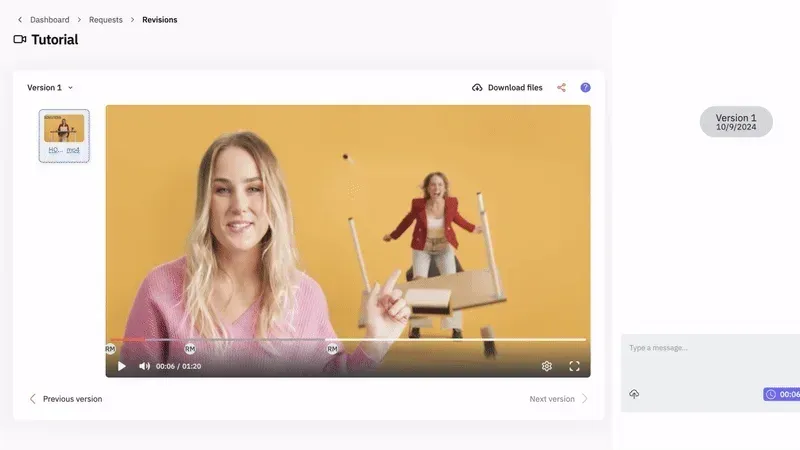
Professional editing services have evolved beyond the expensive freelancer model. Platforms offering unlimited video editing services provide dedicated editors, unlimited storage, and revision systems that cost less than DIY when you factor in time value.

This works especially well if you:

  • Generate revenue directly from content (courses, sponsors, products)
  • Manage multiple content channels simultaneously
  • Value creative energy for strategy over execution
  • Need consistent brand standards across all videos
  • Want to scale production without hiring full-time staff

The equation flips when your hourly rate exceeds the cost of delegating. A $500 monthly editing service becomes a bargain if it saves you 20 hours that you can redirect toward $50+/hour activities.

Industry-Specific Recommendations

Content Creators and Influencers

If you're building a personal brand, consistency matters more than perfection. Your audience connects with authentic content delivered regularly, not Hollywood-level production released sporadically.

Best approach for solo creators: Start with mobile apps or simple desktop tools for short-form content. As revenue grows, consider whether exploring discussions about the best video editing options or outsourcing makes sense.

Marketing Agencies and Production Companies

Agencies need collaboration features, client review systems, and brand consistency tools. Adobe Premiere Pro dominates this space because clients often expect it, and team members already know it.

The agency dilemma: Training new editors on your preferred software takes weeks. Project handoffs between team members need standardized workflows. Version control becomes critical when multiple stakeholders provide feedback.

Many agencies are adopting a hybrid model where they handle strategy and shot planning while partnering with specialized editing services for execution and revisions.

Coaches and Course Creators

Educational content requires clarity over flash. Your editing software needs excellent caption tools, screen recording integration, and the ability to create consistent lesson templates.

Camtasia and Descript excel here because they're built specifically for this use case. The text-based editing in Descript speeds up the removal of filler words and awkward pauses that plague teaching videos.

Check resources focused on video production and editing for educational content for workflow optimization tips beyond just software selection.

Special Consideration: VFX and Advanced Effects

Standard video editing software reviews rarely dig into visual effects capabilities, but creators in gaming, tech reviews, or experimental content need more firepower.

Professional VFX software like Adobe After Effects operates in a different category from timeline editors. These tools create motion graphics, compositing, and effects that editing software can't touch.

The VFX workflow typically involves:

  1. Edit your main timeline in Premiere Pro or similar
  2. Export sections needing effects
  3. Create animations and composites in After Effects
  4. Import finished effects back into your main edit

This specialized workflow requires significant expertise. Unless VFX is your unique creative edge, outsourcing these elements makes more sense than learning another complex toolset.

Future-Proofing Your Choice

Technology moves fast in video editing. What matters in 2026 might be table stakes by 2027. When evaluating video editing software reviews, consider:

AI integration roadmap: How is the company implementing automation? Are updates frequent and meaningful?

Cloud direction: Is the software moving toward browser-based editing or staying desktop-focused?

Pricing trajectory: Adobe's subscription increases are predictable. Newer platforms might undercut to gain market share.

Community and resources: Strong user communities, tutorial libraries, and third-party plugin ecosystems indicate long-term viability.

Company stability: Established players like Adobe aren't disappearing. Hot startups might pivot or shut down.

Sustainable practices are influencing software choices too. Some creators are choosing tools from companies with environmental commitments or those that support conscious business practices, similar to how conscious consumers support sustainable lifestyle products in other areas of their lives.

Testing Before Committing

Nearly every serious editing platform offers trials. Use them strategically:

Week 1: Import actual project files and test your normal workflow. Don't just play with sample footage.

Week 2: Stress test rendering times, crash recovery, and customer support responsiveness. Create something under deadline pressure.

Week 3: Try collaboration features if relevant. Export to all your necessary platforms and check quality.

Take notes on friction points. Small annoyances compound over hundreds of editing sessions. If something feels clunky during the trial, it'll drive you crazy after purchase.

When Software Isn't the Solution

Sometimes the problem isn't which video editing software to choose. It's whether you should be editing at all.

Signs that outsourcing beats software:

  • You consistently delay posting because editing feels overwhelming
  • Videos sit half-finished for weeks while other priorities take over
  • You're researching editing software instead of filming new content
  • Your editing quality fluctuates based on available energy
  • You'd rather create more content than perfect existing footage

Comparing service plans often reveals that dedicated editors cost less than the hidden expenses of DIY editing once you account for time value and opportunity cost.

The best tool is the one that actually gets used consistently. If software sits unopened while raw footage piles up, even the perfect choice has failed.

Moving Forward With Confidence

Video editing software reviews give you information, but only you can decide what fits your specific situation. There's no universal "best" option, just the right tool for your current needs, skills, and goals.

Consider where you want your content creation to be in six months. Will you still enjoy spending hours in editing software? Or would that time create more value elsewhere in your business?

The editing software you choose should energize your creative process, not drain it. If you're excited to experiment and learn the technical craft, desktop software opens creative possibilities. If editing feels like a necessary chore keeping you from your zone of genius, delegation might be your unlock.


Choosing the right video editing software matters, but choosing the right editing strategy matters more. If you're ready to reclaim your creative energy and focus on what actually grows your business, beCreatives offers unlimited video editing services with dedicated editors who learn your brand and style. Get consistent, high-quality content without the learning curve, software subscriptions, or late-night rendering sessions.

Leave a Reply

Your email address will not be published. Required fields are marked *

Related Posts

Searching for video editors near me? Discover why location matters less than quality, turnaround, and value in 2026's remote-first editing world.
Discover how an online auto video editor can transform your content creation process with AI-powered editing, automated cuts, and time-saving tools.
Discover the best music video editing software for 2026. Compare tools, features, and workflows to create stunning videos without the headache.
Master vlog video editing without the stress. Learn workflow tips, storytelling tricks, and how outsourcing editing helps you stay consistent.
Discover how an edit making app can revolutionize your video production workflow. Expert insights on choosing tools that streamline editing.
Discover how to source, select, and use videos for video editing projects. Expert tips on stock footage, B-roll, and building a content library.
Discover the best video creation apps for content creators, marketers, and businesses. Compare features, platforms, and pricing to find your ideal tool.
Discover how a video editing course can transform your content creation abilities. Learn essential skills, software mastery, and career paths.
Discover the best video editing course online for creators, marketers, and agencies. Compare top programs, software training, and certifications.
Discover the top Reddit communities for video editing advice, software recommendations, and workflow tips. Learn where editors share expertise in 2026.

Let us do the technical part!

Editing videos yourself can take a lot of your precious time, but do not worry – we‘ve got  you covered! Our highly skilled Video Editors are here to speed up the process and give you time to create more content.