
Post Production Video Editing: Complete Guide for 2026
Discover how post production video editing transforms raw footage into professional content. Learn workflows, tools, and outsourcing tips.
10 Min. ReadRead More
5 dedicated editor spots open this week. Book a call to reserve →

 Kiara WalkerCocktales Podcast
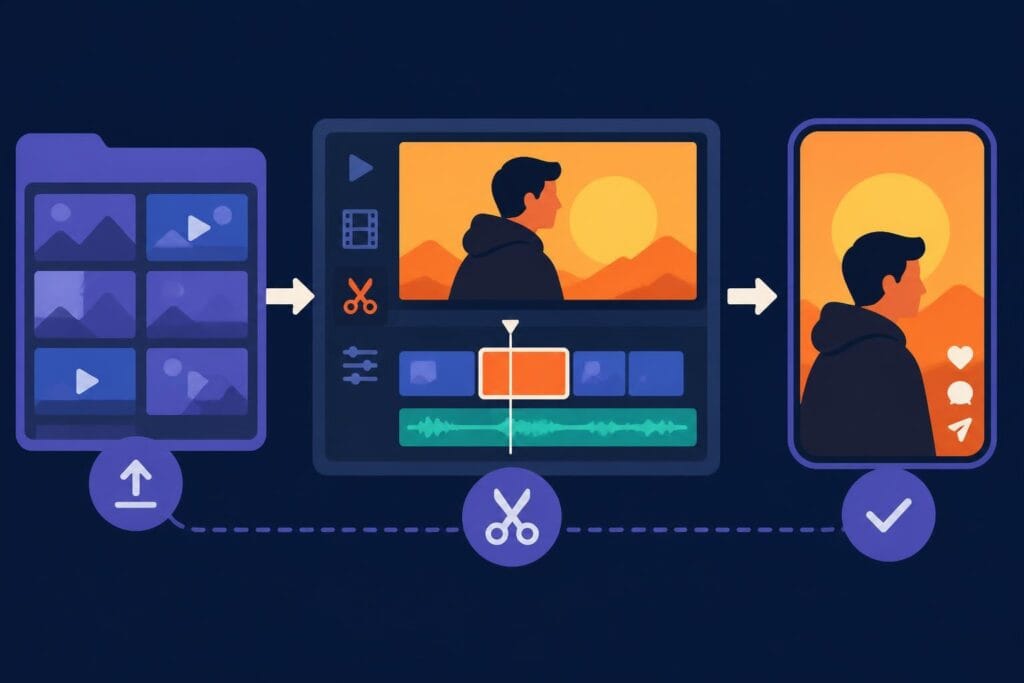
Discover how editor clips streamline video production workflows. Learn best practices, tools, and techniques to create engaging content faster.
 Knowledge Base
May 25, 2026
Editor clips have become an indispensable component of modern video production workflows, enabling content creators to efficiently organize, manage, and transform raw footage into polished final products. These carefully selected segments of video footage serve as the building blocks for everything from social media content to long-form YouTube videos, allowing editors to work with precision and speed. Understanding how to effectively utilize editor clips can dramatically improve your production efficiency, reduce editing time, and help you deliver consistent, high-quality content that resonates with your audience. Whether you're a seasoned video professional or just starting your content creation journey, mastering the art of working with editor clips is essential for success in today's fast-paced digital landscape.
Editor clips represent specific segments of raw footage that video editors isolate, organize, and manipulate during the post-production process. Unlike complete video files, these clips are purposefully selected portions that contain valuable content, specific moments, or particular shots that will ultimately contribute to the final video.
The concept of editor clips has evolved significantly with digital editing technology. Modern non-linear editing systems allow professionals to work with thousands of clips simultaneously, organizing them into bins, folders, and sequences. This organizational structure enables editors to quickly locate and utilize specific moments without having to scrub through hours of raw footage repeatedly.
Video editors typically work with several distinct categories of clips throughout their projects:
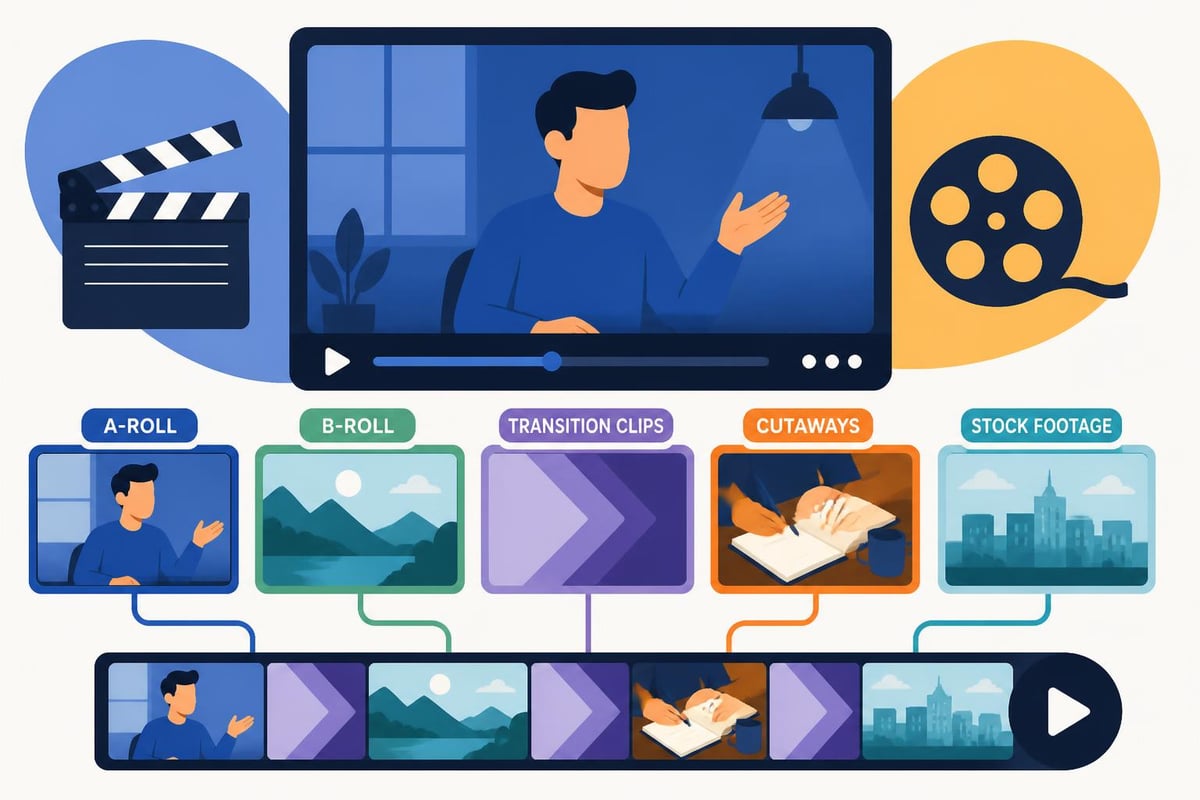
The strategic use of different clip types allows editors to craft compelling narratives while maintaining viewer engagement. Best video editing software platforms now offer sophisticated tools for categorizing and tagging these various clip types, making organization significantly more efficient.
Proper organization of editor clips can make the difference between a smooth editing process and a chaotic nightmare. Professional editors develop systematic approaches to clip management that save countless hours during production.
Establishing consistent naming conventions for your editor clips ensures that you can quickly identify and locate specific content. Consider implementing these organizational strategies:
Modern editing platforms support extensive metadata tagging, allowing you to search and filter editor clips based on multiple criteria. This functionality becomes particularly valuable when working on larger projects with hundreds or thousands of individual clips.
| Organization Method | Best For | Time Saved |
|---|---|---|
| Color Coding | Visual learners, quick identification | 20-30% |
| Keyword Tagging | Large projects, multi-editor teams | 30-40% |
| Bin Structure | Complex narratives, documentary work | 25-35% |
| Smart Collections | Recurring content types, templates | 40-50% |
When you're working with professional video editing services, having well-organized editor clips ensures smooth collaboration between clients and editors. Clear organization facilitates faster revisions and helps maintain consistent quality across all deliverables.
The explosion of social media platforms has created unprecedented demand for short-form video content. Editor clips play a crucial role in this content creation ecosystem, as creators must extract the most compelling moments from longer footage to capture audience attention quickly.
Successful short-form content relies on selecting editor clips that immediately grab attention and deliver value. Look for these characteristics when choosing clips:
Platforms like Choppity use AI technology to automatically identify the most engaging segments within long-form videos, helping creators quickly generate multiple short clips from a single recording. This automation can significantly accelerate the content repurposing process.
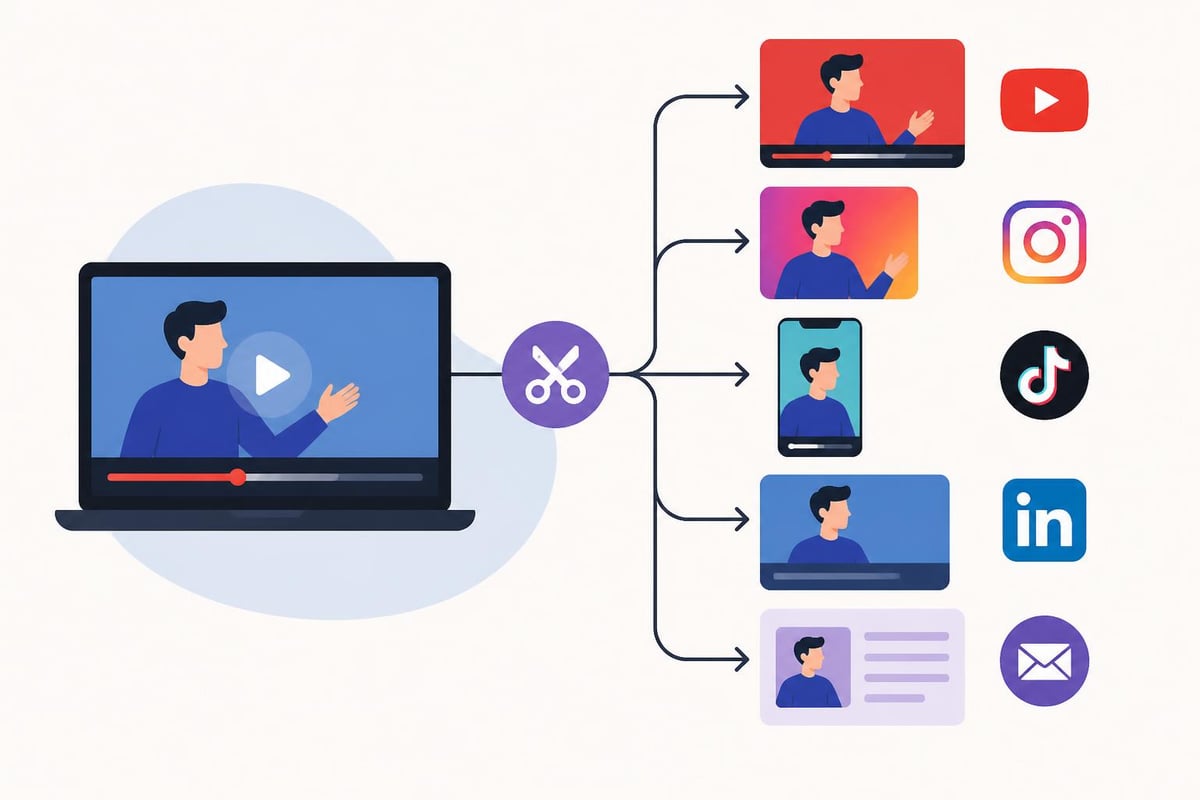
The key to maximizing the value of your editor clips lies in understanding platform-specific requirements and audience preferences. A clip that performs well on YouTube Shorts may need different pacing or framing compared to TikTok or Instagram Reels.
Understanding the technical aspects of editor clips ensures optimal quality and compatibility across different platforms and devices. Video editors must consider several critical factors when working with clip-based workflows.
Each editor clip carries specific technical attributes that affect how it integrates into your final project:
Resolution specifications determine the clarity and detail of your clips. Working with mixed resolutions requires careful planning to avoid quality degradation. Most professional workflows standardize on 1080p or 4K resolution for primary editor clips.
Frame rate consistency prevents choppy playback and editing challenges. Mixing 24fps, 30fps, and 60fps editor clips within a single project requires conversion or interpretation, which can impact final output quality.
Codec selection affects both file size and editing performance. Proxy workflows allow editors to work with compressed versions of high-resolution clips, then relink to original files for final export.
| Technical Specification | Recommended Setting | Impact on Workflow |
|---|---|---|
| Resolution | Match project settings | Prevents scaling artifacts |
| Frame Rate | Consistent across clips | Ensures smooth playback |
| Codec | ProRes/DNxHD for editing | Improves scrubbing performance |
| Color Space | Rec.709 or Log | Maintains color consistency |
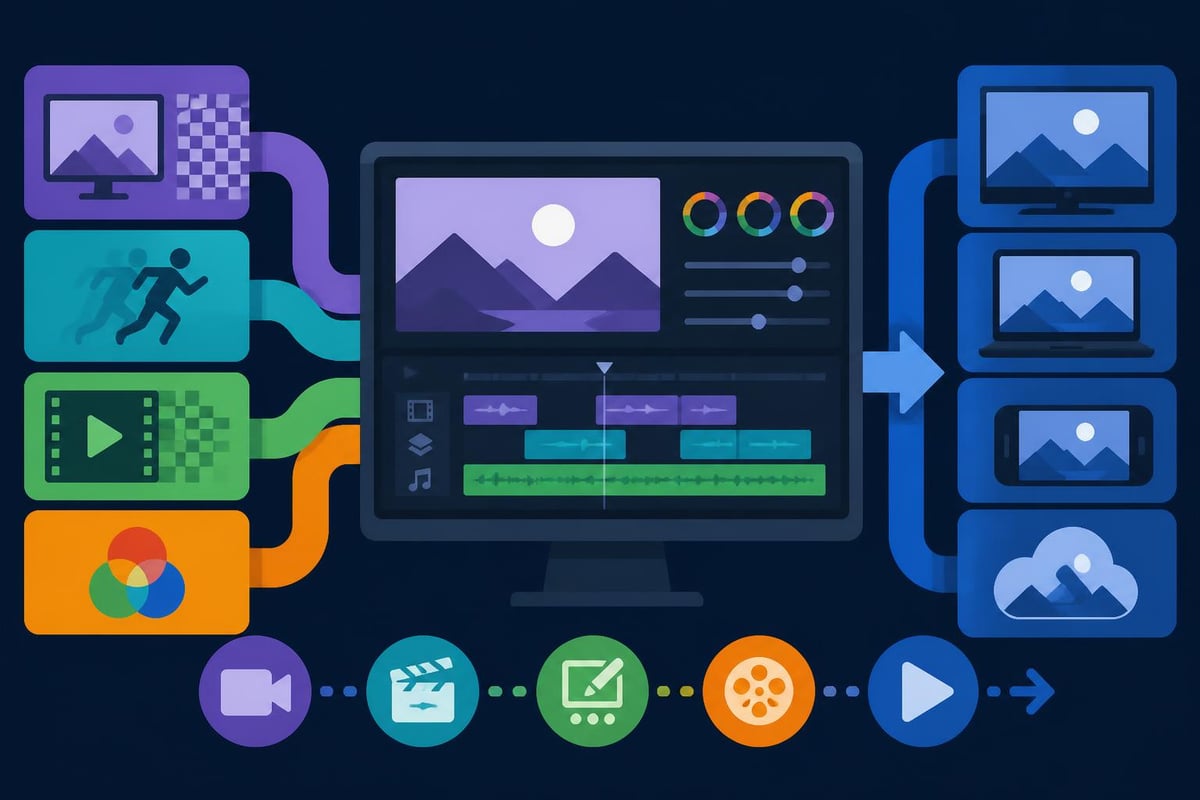
When working with video editing professionals, understanding these technical considerations helps you deliver footage that integrates seamlessly into your projects. Proper technical specifications from the outset prevent costly revisions and quality issues down the line.
Different video formats and platforms demand unique approaches to working with editor clips. Successful content creators adapt their clip selection and editing strategies based on the intended delivery format and target audience.
Long-form YouTube videos typically run 10-30 minutes or longer, requiring editors to work with extensive collections of editor clips. The challenge lies in maintaining pacing and viewer engagement throughout extended runtime.
For YouTube content, editors should:
Many successful YouTube creators follow the essential editing techniques that have been refined over decades of filmmaking, applying cinematic principles to digital content creation.
Social media platforms prioritize brevity and immediate impact. Editor clips for these formats must deliver maximum value in minimal time, typically 15-90 seconds.
Platform-specific requirements for editor clips:
The process of repurposing YouTube videos for TikTok demonstrates how strategic selection of editor clips allows you to maximize content value across multiple platforms without creating entirely new footage.
Professional video editors develop an intuitive sense for identifying which clips will work best in final productions. This expertise comes from understanding both technical excellence and emotional resonance.
Before incorporating editor clips into your timeline, assess them across multiple dimensions:
Technical quality factors include:
Content quality considerations encompass:
When reviewing editor clips, watch for micro-expressions, gesture authenticity, and verbal delivery nuances that separate mediocre content from exceptional moments. These subtle differences significantly impact final video quality and viewer engagement.
Building reusable libraries of editor clips creates tremendous efficiency for content creators who produce regular, consistent video output. Template-based approaches allow you to leverage previous work while maintaining fresh, relevant content.
Developing standardized editor clips for recurring elements saves time and ensures brand consistency:
Professional editing services like those offered at beCreatives maintain extensive libraries of branded elements, allowing rapid turnaround on new content while maintaining visual consistency across all deliverables.
Strategic clip reuse extends the value of your production efforts. Consider these approaches:
Evergreen B-roll remains relevant across multiple projects when it depicts timeless concepts or generic locations. Stock up on versatile editor clips during production sessions to support future content needs.
Testimonial clips can be excerpted and repurposed across various marketing materials, social proof compilations, and case study videos when properly rights-managed and contextually appropriate.
Educational segments teaching specific concepts or demonstrating particular techniques often maintain value across extended periods, justifying the investment in high-quality production values.
Modern video production increasingly involves distributed teams working across different locations and time zones. Effective collaboration requires robust systems for sharing, reviewing, and managing editor clips throughout the production pipeline.
Cloud technology has revolutionized how teams work with editor clips. Modern platforms enable:
These systems eliminate the traditional bottlenecks associated with file transfers and version confusion. Team members can access the exact editor clips they need, when they need them, from any location with internet connectivity.
When working with dedicated video editors, cloud-based workflows ensure seamless communication about specific clips, revision requests, and project direction without the friction of email attachments or file-sharing delays.
Artificial intelligence and machine learning are transforming how video professionals work with editor clips. These technologies promise to automate time-consuming tasks while enhancing creative possibilities.
Recent developments in AI video editing include:
Automated scene detection analyzes footage and automatically creates individual editor clips based on scene changes, camera angles, or content transitions. This technology eliminates hours of manual clip creation on large projects.
Content-aware tagging uses computer vision to identify objects, people, actions, and settings within editor clips, automatically generating searchable metadata without manual input.
Sentiment analysis evaluates the emotional tone of clips, helping editors quickly identify moments of joy, surprise, frustration, or other key emotional beats that drive engagement.
Research initiatives like InsEdit demonstrate how instruction-based editing models are evolving to handle complex editing tasks with minimal human intervention, potentially revolutionizing how we approach clip-based workflows.
The HIVE framework represents another significant advancement, using multimodal narrative understanding to automatically condense long-form videos into engaging clips optimized for viewer attention and comprehension.
As your video production volume increases, managing thousands of editor clips becomes a significant operational challenge. Implementing systematic best practices prevents library chaos and maintains long-term usability.
Protect your valuable editor clips through redundant backup systems:
The cost of recreating lost editor clips far exceeds the investment in proper backup infrastructure. Professional content creators treat their clip libraries as valuable business assets requiring appropriate protection.
Develop clear policies for clip retention and archival:
Active projects require immediate access to all clips with maximum performance. Store these on fast SSD drives with regular backups.
Completed projects can migrate to slower, more economical storage after final delivery. Maintain organized archives with clear indexing for potential future needs.
Expired content from projects with defined shelf lives can be permanently deleted after appropriate retention periods, freeing storage capacity for new work.
Professional editing platforms typically include unlimited storage solutions, eliminating concerns about capacity constraints. Services like those available through beCreatives’ platform handle all storage management, allowing creators to focus on content rather than infrastructure.
Data-driven approaches to working with editor clips enable continuous improvement in content quality and engagement performance. Understanding which clips resonate with audiences helps refine future selection criteria.
Monitor these metrics to evaluate editor clip effectiveness:
| Metric | What It Measures | Optimization Strategy |
|---|---|---|
| Retention Rate | When viewers drop off | Place strongest clips early |
| Engagement Rate | Likes, comments, shares | Use clips that spark reaction |
| Click-Through Rate | Thumbnail to view conversion | Feature compelling clips in thumbnails |
| Average View Duration | How long viewers watch | Maintain pacing with dynamic clips |
Platforms like RankPill help content creators optimize their entire content strategy, including video SEO, ensuring that your carefully selected editor clips reach the widest possible audience through improved search visibility and content distribution.
By analyzing which types of editor clips generate the strongest performance metrics, you can refine your selection criteria and editing approach to maximize impact. This data-driven methodology transforms video editing from purely creative work into a strategic business function that delivers measurable results.
Understanding video editing tips for beginners provides foundational knowledge that remains relevant even as you develop more sophisticated clip management strategies. The fundamentals of good editing never change, even as tools and technologies evolve.
Mastering the strategic use of editor clips separates efficient, effective content creators from those who struggle with slow workflows and inconsistent quality. By implementing systematic organization, leveraging emerging technologies, and maintaining focus on audience engagement, you can dramatically improve your video production outcomes. If you're ready to elevate your video content without the hassle of managing clips, revisions, and technical details yourself, beCreatives offers unlimited editing services with dedicated editors who handle everything from organization to final delivery, giving you more time to focus on creating great content.
Article written using RankPill.
Discover how post production video editing transforms raw footage into professional content. Learn workflows, tools, and outsourcing tips.
Master video editing HD quality standards, encoding settings, and workflow best practices to deliver professional content in 2026.
Discover what makes a YouTube video editing course worth your time in 2026, plus smarter alternatives for busy creators and agencies.
Looking to hire video editor for YouTube? Discover the best hiring strategies, what to look for, and how to build a winning content team in 2026.
Discover the best music video editing software for 2026. Compare features, pricing, and workflow tools to create stunning music videos faster.
Looking for a video editing company near me? Learn how to choose the right partner, what to expect, and whether local is best in 2026.
Discover how video editing AI online is changing content creation in 2026. Explore smart tools, workflows, and what creators really need to know.
Master wedding videography editing with expert tips on storytelling, pacing, and delivery. Learn how to transform raw footage into cinematic films.
Choosing an HD video editing app in 2026? Discover features, performance tips, and how professionals handle high-definition content.
Discover the best free simple editing software for videos and photos in 2026. Compare features, learn what works, and decide when to DIY or outsource.

Editing videos yourself can take a lot of your precious time, but do not worry – we‘ve got you covered! Our highly skilled Video Editors are here to speed up the process and give you time to create more content.








