

You've got footage to edit sitting on your hard drive. Maybe it's from last week's product launch, that amazing client testimonial, or three months of TikTok attempts that never made it out of your camera roll. Sound familiar? Here's the truth: having tons of raw footage doesn't mean you're winning at content creation. It actually means you're stuck in the messy middle between filming and publishing. Let's talk about how to handle all that footage to edit without losing your mind or your momentum.
Why Your Footage to Edit Keeps Piling Up
Most creators and business owners face the same problem: filming is the fun part, editing is where dreams go to die.
You record everything with the best intentions. You're motivated, camera-ready, and pumped about your content strategy. Then reality hits. The footage to edit starts accumulating because:
- You underestimated editing time (spoiler: it takes way longer than filming)
- You lack a clear organizational system for managing raw files
- You're not sure which clips are worth the effort to transform into content
- You're doing everything yourself instead of delegating the heavy lifting
The result? Gigabytes of unused footage sitting there, guilt-tripping you every time you open your computer.
The Real Cost of Unedited Footage
Here's what that pile of footage to edit is actually costing you:
- Lost visibility – While your footage collects dust, your competitors are posting daily
- Wasted investment – You spent time and money filming content that's generating zero ROI
- Mental clutter – That growing backlog creates stress and kills your creative momentum
- Missed opportunities – Timely content becomes irrelevant when it's edited weeks late

Getting Your Footage to Edit Under Control
Organization isn't sexy, but it's the difference between creators who publish consistently and those who drown in their own content.
Create a Folder System That Actually Works
Your footage to edit needs a home before it needs an editor. Set up a structure like this:
| Folder Type | Purpose | Example |
|---|---|---|
| RAW FOOTAGE | Untouched original files | 2026_July_ProductDemo_Raw |
| READY TO EDIT | Organized and labeled clips | ProductDemo_BRoll_Selected |
| IN PROGRESS | Currently being edited | ProductDemo_V1_Draft |
| FINAL EXPORTS | Completed, published videos | ProductDemo_Final_1080p |
Name your files with dates, project names, and clip types. Future you will thank current you when you're searching for that perfect B-roll from three months ago.
Prioritize What Actually Needs Editing
Not all footage to edit deserves equal attention. Be ruthless about what makes the cut.
Ask yourself these questions:
- Does this footage align with my current content strategy?
- Is it still relevant, or has the moment passed?
- Will this genuinely serve my audience or just feed my ego?
- Can multiple pieces of content come from this one shoot?
Sometimes the best decision is deleting footage that's never going to serve your goals. That's not failure, that's focus.
Building an Editing Workflow That Doesn't Burn You Out
If you're handling footage to edit yourself, you need systems that prevent editing from consuming your entire week.
The Batch Processing Method
Instead of editing one video at a time, process your footage to edit in batches:
- Review all raw footage in one sitting and mark the best takes
- Organize clips by project or content series
- Edit similar videos together to stay in the same creative headspace
- Export everything at once to maximize efficiency
This approach cuts down on context-switching and keeps you in flow state longer. When selecting video editing software, look for tools that support batch operations and project templates.
Use Templates for Repeatable Content
If you're creating series content (weekly vlogs, product reviews, tutorials), templates are game-changers for managing footage to edit.
Create master templates with:
- Your intro and outro sequences already in place
- Standard music beds and sound effects loaded
- Text styles and lower thirds preset
- Color grading presets saved
Now you're just dropping in new footage to edit rather than starting from scratch each time.

When Editing Your Own Footage Stops Making Sense
Here's the uncomfortable truth: just because you CAN edit your own footage doesn't mean you SHOULD.
The Opportunity Cost Calculator
Let's do some quick math. Say you're a business owner or content creator who values their time at $100 per hour (conservative for most entrepreneurs). You've got footage to edit that takes 6 hours to turn into a polished video.
That's $600 of your time spent on editing. Could that same 6 hours generate more than $600 if you spent it on:
- Client work or sales calls?
- Strategy and planning?
- Filming MORE content?
- Building relationships and partnerships?
Probably yes.
This is where services like those offered through beCreatives change the game. When you've got dedicated editors handling your footage to edit, you stay in your zone of genius instead of fumbling through software tutorials.
Signs You're Ready to Outsource Your Editing
You know it's time to delegate when:
- You're filming content but not publishing because editing is the bottleneck
- You spend more time editing than creating strategy or engaging with your audience
- Your "editing day" keeps getting pushed to next week
- The thought of opening your editing software makes you want to scroll Instagram instead
- You're missing trends because your footage to edit sits unfinished for weeks
Maximizing Value from Every Shoot
Smart creators extract multiple pieces of content from a single filming session. That footage to edit you're sitting on? It's probably worth way more than one video.
The Content Multiplication Strategy
One 20-minute recording session can become:
- 1 long-form YouTube video (8-12 minutes)
- 3-5 short-form clips for TikTok, Reels, and Shorts
- Quote graphics pulled from key moments
- Behind-the-scenes snippets for Stories
- Testimonial clips if you're featuring clients or customers
Specialized services like TikTok editing can repurpose your footage to edit across multiple platforms, each optimized for where it'll be published.
| Content Type | Typical Length | Best Platforms | Editing Complexity |
|---|---|---|---|
| Long-form video | 8-20 minutes | YouTube, website | High |
| Short-form vertical | 15-60 seconds | TikTok, Reels, Shorts | Medium |
| Stories/BTS | 5-15 seconds | Instagram, Facebook | Low |
| Ads | 15-30 seconds | Paid social, YouTube | High |
Keep a Content Ideas Bank
When reviewing footage to edit, maintain a running list of:
- Great moments that could become standalone clips
- Unexpected gems you didn't plan but captured anyway
- Series opportunities where you could film follow-ups
- Collaboration ideas inspired by what you filmed
This bank ensures you're constantly thinking about content potential, not just checking boxes.
Technical Considerations for Managing Footage to Edit
You can't edit what you can't access. Storage and file management matter more than you think.
Storage Solutions That Scale
As your content library grows, so does your footage to edit pile. Here's how to handle it:
Cloud storage works great for:
- Collaboration with editors or team members
- Accessing files from multiple devices
- Automatic backup and version control
External drives are better for:
- Large 4K or raw footage files
- Long-term archival of completed projects
- Keeping active projects accessible without internet dependency
For insights on organizing video files efficiently, check out these practical video editing tips that cover workflow management.
File Formats and Compression
Your footage to edit probably comes in various formats depending on your camera or phone. Understanding the basics helps:
- Keep original files uncompressed until you're certain you're done with them
- Create proxy files for easier editing if you're working with 4K footage
- Export finished videos in platform-specific formats (vertical for TikTok, 16:9 for YouTube)
- Archive completed projects as compressed files to save space

Advanced Techniques to Transform Your Footage to Edit
Once you've got organization handled, it's time to think about how editing choices affect your final content.
Storytelling Through Editing Choices
Your footage to edit tells a story, but only if you assemble it with intention. Professional editors use techniques like:
- J-cuts and L-cuts for smooth audio transitions between scenes
- Match cuts to create visual continuity
- Pacing variation to maintain viewer engagement
- B-roll insertion to illustrate points without talking heads
These creative video editing techniques can elevate basic footage into compelling narratives.
The Power of Sound Design
Bad audio kills good footage to edit faster than anything else. When processing your content:
- Remove background noise and hums
- Level audio so volume is consistent throughout
- Add music beds that match your brand and mood
- Include sound effects to emphasize key moments
Sound design is where amateur edits and professional results really separate.
Color Grading Basics
Color grading transforms the mood and professionalism of your footage to edit:
- Consistency – Make sure shots from the same scene match
- Mood creation – Warm tones for friendly content, cooler tones for professional
- Brand alignment – Maintain your visual identity across all videos
- Platform optimization – Ensure colors look good on mobile screens where most people watch
Building a Sustainable Content Creation System
The goal isn't just to clear your current footage to edit backlog. It's to never build that backlog again.
The Weekly Content Production Schedule
Here's a sustainable rhythm that keeps footage to edit moving:
Monday-Tuesday: Planning, scripting, and prep
Wednesday-Thursday: Filming sessions
Friday: Review footage and prioritize editing queue
Weekend: Either batch edit yourself OR send to your editing team
This creates predictable workflows where content flows from concept to publication without bottlenecks.
Metrics That Matter
Track these numbers to optimize your footage to edit workflow:
| Metric | What It Tells You | Action Threshold |
|---|---|---|
| Days from filming to publish | Workflow efficiency | Over 7 days = problem |
| Percentage of filmed footage published | Content waste | Under 50% = filming too much |
| Editing hours per finished minute | Time efficiency | Track trends over time |
| Engagement rate by content type | What resonates | Focus on high performers |
Building Your Editing Team (Even If It's Just You)
Whether you're a solopreneur or running an agency, your footage to edit needs a clear ownership structure:
If you're editing yourself:
- Block specific days/times for editing only
- Use productivity techniques like Pomodoro
- Invest in learning keyboard shortcuts
- Set realistic expectations for output
If you're outsourcing:
- Establish clear communication channels for revisions
- Create style guides so editors understand your brand
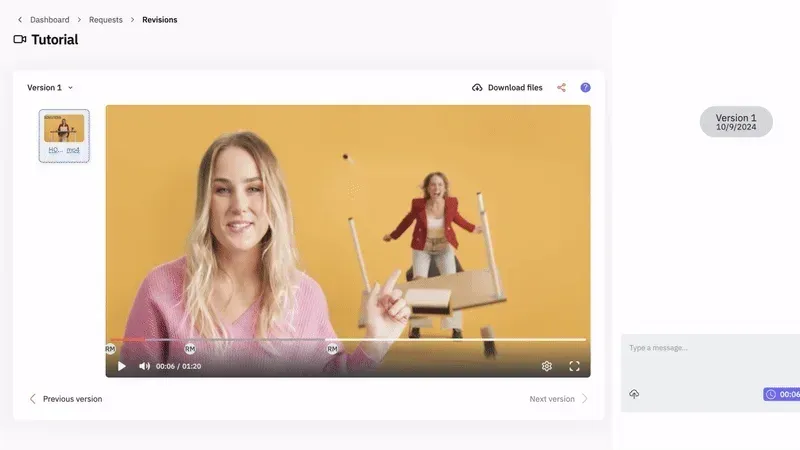
- Use project management tools to track progress
- Build relationships with reliable editing partners
For those ready to scale without the headaches, exploring unlimited video editing services can provide the support system that keeps content flowing consistently.
Platform-Specific Considerations for Your Footage to Edit
Different platforms demand different editing approaches. Your footage to edit should be optimized for where it lives.
YouTube Long-Form Content
When editing footage to edit for YouTube:
- Hook viewers in the first 5 seconds before they bounce
- Include pattern interrupts every 20-30 seconds
- Add chapters for longer videos to improve retention
- Create compelling thumbnails that match your content
- Optimize for watch time, not just views
Short-Form Vertical Video
For TikTok, Reels, and Shorts, your footage to edit needs:
- Fast pacing – Cut every 2-3 seconds to maintain attention
- Text overlays since many watch without sound
- Trending audio integrated naturally
- Vertical framing that fills mobile screens
- Strong hooks in the first second (literally)
Educational and Tutorial Content
When your footage to edit is teaching something:
- Show, don't just tell with screen recordings or demos
- Use graphics and text to reinforce key points
- Include timestamps so viewers can skip to relevant sections
- Add captions for accessibility and silent viewing
- Create downloadable resources mentioned in your video
The Future of Managing Footage to Edit
Technology is changing how we handle video content, making it easier to manage footage to edit without extensive technical skills.
AI-Assisted Editing Tools
Modern editing solutions now include:
- Auto-transcription that generates captions instantly
- Scene detection that automatically cuts your footage at logical breaks
- Smart cropping for converting horizontal footage to vertical
- Music matching algorithms that suggest tracks based on video mood
These tools speed up the mechanical parts of editing, letting you (or your editor) focus on creative decisions. For data-backed approaches to editing, these 50 proven video editing tips offer insights from millions of analyzed clips.
Template Marketplaces and Presets
Instead of starting from scratch with every piece of footage to edit, creators now access:
- Pre-made motion graphics templates
- Transition packs optimized for different content types
- Color grading presets for specific looks
- Sound effect libraries organized by category
This dramatically reduces editing time while maintaining professional quality.
Managing your footage to edit doesn't have to be the bottleneck that kills your content strategy. With the right systems for organization, prioritization, and workflow, you can transform raw clips into published content that actually grows your business. But here's the real secret: the most successful creators don't do it all themselves. They focus on what they do best and delegate the rest. If you're ready to stop drowning in unedited footage and start publishing consistently, beCreatives offers unlimited editing services with dedicated editors, unlimited storage, and seamless revision systems designed specifically for creators and businesses who want results without the editing headaches.