
Aerial footage has transformed from a luxury reserved for Hollywood productions into an essential tool for content creators, marketers, and businesses. Whether you're capturing sweeping landscapes for a travel brand, documenting real estate properties, or creating engaging social media content, drone video editing has become a critical skill that separates amateur footage from professional-grade content. The challenge? Raw aerial footage rarely looks camera-ready straight out of the drone. It requires careful editing, color grading, stabilization, and creative touches to truly shine.
Why Drone Video Editing Requires Special Attention
Aerial footage presents unique challenges that ground-level video simply doesn't face. The combination of high-altitude perspectives, variable lighting conditions, and movement patterns creates specific editing demands.
Common Issues with Raw Drone Footage
Most drone operators discover quickly that their raw files need serious work before they're ready for publication. Here's what typically needs fixing:
- Color inconsistency from automatic white balance adjustments during flight
- Motion jitter despite built-in gimbal stabilization
- Exposure variations as the drone moves between shadow and sunlight
- Horizon drift that creates a disorienting viewing experience
- File size challenges with 4K and higher resolution footage
The beauty of modern drone video editing lies in how much control you gain during post-production. What looks flat and uninspiring in your raw files can transform into breathtaking content with the right editing approach.

Understanding Your Footage Specifications
Different drones capture footage in various formats and color profiles. DJI drones, for instance, offer D-Log color profiles that preserve maximum dynamic range but require color grading. Understanding what your specific drone captures helps you plan your editing workflow more effectively.
| Drone Model | Max Resolution | Color Profile Options | Frame Rate Range |
|---|---|---|---|
| DJI Mini 3 Pro | 4K | Normal, D-Cinelike | 24-60 fps |
| DJI Air 3 | 4K | Normal, D-Log M | 24-120 fps |
| Autel EVO II | 8K | Standard, Log | 24-60 fps |
| Skydio 2+ | 5.4K | Standard | 24-60 fps |
Essential Techniques for Professional Results
The difference between amateur and professional aerial content often comes down to mastering a few key techniques. Let's break down what actually works.
Stabilization Beyond the Gimbal
Even the best gimbals can't eliminate all camera shake, especially in windy conditions. Digital stabilization during editing smooths out remaining jitter, but it comes with a trade-off. You'll crop into your frame slightly, which is why shooting in 4K gives you room to stabilize while maintaining 1080p output quality.
According to creative techniques for editing drone video, applying subtle warp stabilization combined with position-based tracking creates smoother results than aggressive stabilization settings that can introduce artificial warping.
Color Grading Aerial Footage
Raw drone footage typically appears washed out, especially if you're shooting in a flat color profile to preserve dynamic range. This is intentional. The flat profile gives you maximum flexibility during color grading.
Here's a straightforward color grading workflow:
- Adjust exposure and contrast to establish your tonal range
- Set white balance to correct any color casts
- Add saturation selectively to sky and landscape elements
- Apply curves for refined shadow and highlight control
- Use LUTs (Look-Up Tables) as starting points, not final solutions
Many editors make the mistake of over-saturating aerial footage. Natural-looking color that enhances reality slightly always outperforms the oversaturated "Instagram" look for professional applications.
Software Options for Drone Video Editing
Choosing the right editing software directly impacts your efficiency and creative possibilities. The good news? You don't need the most expensive option to create stunning results.
Professional-Grade Solutions
Adobe Premiere Pro remains the industry standard for drone video editing, offering powerful color grading tools, extensive plugin support, and seamless integration with After Effects for motion graphics. The learning curve is steep, but the capabilities are unmatched.
DaVinci Resolve provides professional color grading tools that rival dedicated color grading suites, plus a robust editing interface. The free version includes most features you'll need, making it an excellent choice for creators on a budget.
Final Cut Pro delivers exceptional performance on Mac systems, with magnetic timeline features that speed up editing workflows. Its optimized rendering makes it ideal for handling large 4K and 8K drone files.
For a comprehensive breakdown, check out this drone video editing software comparison that evaluates features, pricing, and performance across seven popular options.
Mobile and Simplified Options
Not every project demands desktop software. DJI's Fly app includes basic editing capabilities perfect for quick social media posts, while LumaFusion on iPad offers surprisingly robust editing power in a mobile package.

Building an Efficient Editing Workflow
Speed matters when you're managing multiple drone projects. An organized workflow saves hours and prevents the frustration of searching through hundreds of clips.
File Organization from Day One
Create a consistent folder structure for every drone project. This simple practice prevents chaos later:
- RAW_FOOTAGE (original files, never edited directly)
- PROJECT_FILES (editing software projects)
- EXPORTS (rendered videos)
- ASSETS (music, graphics, sound effects)
- REFERENCES (client notes, style examples)
Import your footage, create proxies for 4K or higher resolution files, and rate your best clips immediately. This detailed drone video editing workflow walks through importing, stabilizing, color correction, and exporting processes step by step.
Strategic Use of Editing Tools
Time-saving features built into modern editing software can dramatically speed up your drone video editing workflow:
- Multicam editing for synchronizing footage from multiple drones
- Adjustment layers for applying consistent color grades across clips
- Keyboard shortcuts that reduce repetitive mouse movements
- Batch export presets for consistent output settings
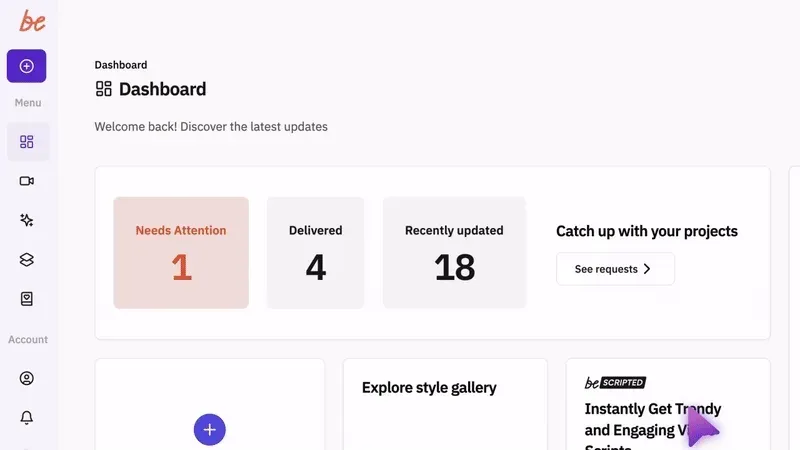
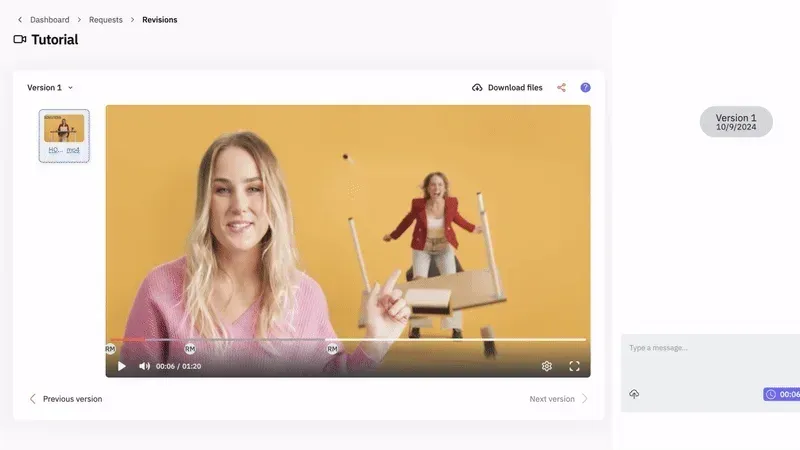
The beCreatives video editing services platform handles these technical workflows, allowing creators to focus on content strategy while experienced editors manage the time-consuming post-production work.
Creative Techniques That Enhance Aerial Storytelling
Technical proficiency with software matters less than understanding how to craft compelling stories with aerial footage. Here's what separates memorable drone videos from forgettable ones.
Pacing and Rhythm
Aerial shots naturally create a sense of grandeur and scale. Letting these moments breathe gives viewers time to absorb the visual information. Quick cuts work for energetic montages, but expansive landscape shots often benefit from longer durations.
Match your pacing to your soundtrack. The relationship between visual rhythm and audio beat creates emotional resonance that static visuals alone can't achieve.
Transition Techniques
Basic cuts work fine, but thoughtful transitions enhance the viewing experience:
- Whip pans between similar scenes create dynamic energy
- Match cuts on movement maintain visual flow
- Crossfades work beautifully for time-lapse sequences
- Direction-matched cuts where movement continues across the edit
Avoid overusing transitions. One creative transition between sequences makes more impact than constant gimmicky effects throughout.
Typography and Title Design
Text overlays on aerial footage require careful consideration. The moving background makes readability challenging. Solutions include:
- Semi-transparent backgrounds behind text elements
- Tracking stabilization so titles follow landscape features
- Minimal, bold fonts that remain legible against complex backgrounds
- Strategic placement in less busy areas of the frame
Many creators incorporate location names, dates, or contextual information through subtle title cards that enhance rather than distract from the aerial visuals.
Audio Considerations for Aerial Content
Drone motors create a constant buzzing that's useless for final videos. Audio replacement isn't optional; it's essential for watchable content.
Music Selection Strategy
The right music transforms aerial footage from pretty pictures into emotional experiences. Consider these factors:
- Match energy levels between footage movement and musical tempo
- Consider cultural context for location-specific content
- Plan edit points around musical phrases and transitions
- Balance prominence so music supports rather than overwhelms
Many destinations and venues would benefit from aerial videography. For instance, travel locations like those promoted by the Kennebec Valley Tourism Council or hospitality properties such as Seesaw’s Lodge use professionally edited drone footage to showcase their scenic environments and attract visitors.
Sound Design Beyond Music
Ambient audio adds realism even when viewers know the drone motor sound is removed. Wind, water, wildlife, or subtle environmental sounds create texture that pure music tracks can't provide. Layer these elements beneath your music for depth.
Optimizing Exports for Different Platforms
Your beautifully edited drone video needs platform-specific optimization to look its best wherever it's shared.
Platform-Specific Requirements
| Platform | Ideal Resolution | Aspect Ratio | Max Length | File Size Limit |
|---|---|---|---|---|
| YouTube | 4K (3840×2160) | 16:9 | Unlimited | 256 GB |
| Instagram Feed | 1080×1080 | 1:1 | 60 seconds | 100 MB |
| Instagram Stories | 1080×1920 | 9:16 | 60 seconds | 100 MB |
| TikTok | 1080×1920 | 9:16 | 10 minutes | 287.6 MB |
| 1080p | 16:9 or 1:1 | 240 minutes | 10 GB |
Create multiple exports from your master edit rather than re-editing for each platform. This approach maintains consistency while meeting technical requirements.

Compression Without Quality Loss
Understanding codec selection prevents unnecessary quality degradation. H.264 remains the most compatible format across platforms, while H.265 (HEVC) offers better compression for large files at the cost of some compatibility issues.
Export at the highest quality your platform allows, then let the platform handle compression rather than pre-compressing and losing quality twice. For YouTube, this means exporting in 4K even if your source footage is 1080p, as YouTube's algorithm favors higher resolution uploads.
Advanced Editing Considerations
Once you've mastered the fundamentals, these advanced techniques add polish to your drone video editing.
Speed Ramping and Time Remapping
Variable speed creates dynamic visual interest. Slow down a drone reveal to emphasize the landscape, then speed up travel shots between locations. Modern editing software makes this technique accessible through time remapping tools.
Combining Drone and Ground Footage
Aerial shots work best when integrated with ground-level content. The shift in perspective creates visual variety and helps tell more complete stories. Match color grades between drone and ground footage for seamless integration.
If you're exploring video production and editing services, understanding how different footage types integrate helps you plan more cohesive content strategies.
Motion Graphics and Data Overlays
Adding animated graphics, maps, or data visualizations over aerial footage provides context and information. This technique works particularly well for:
- Real estate property tours showing square footage and features
- Travel videos indicating location names and distances
- Documentary content providing historical or statistical context
- Educational content explaining geographical features
Managing Large File Sizes
4K and 8K drone footage creates enormous file sizes that strain storage and processing power. Smart file management prevents technical headaches.
Proxy Workflow Benefits
Proxies are lower-resolution versions of your footage used during editing. You edit with small, responsive files, then the software automatically switches to full-resolution footage during export.
This approach dramatically improves editing performance, especially on older computers. Most professional editors use proxies regardless of their system capabilities simply because the workflow is faster and more enjoyable.
Storage and Backup Strategy
Drone footage represents hours of flight time and potentially unrepeatable moments. Proper backup isn't optional. Follow the 3-2-1 rule:
- 3 copies of your footage
- 2 different storage media types
- 1 offsite backup location
Cloud storage, external drives, and NAS (Network Attached Storage) systems all play roles in comprehensive backup strategies. The initial investment in storage infrastructure pays for itself the first time it prevents catastrophic footage loss.
For professionals managing client projects, the beCreatives platform includes unlimited storage as part of their service, eliminating storage concerns while ensuring footage security.
The Business Case for Outsourcing Drone Video Editing
Learning drone video editing takes time. Mastering it takes even longer. For many creators and businesses, the question isn't whether they can edit their footage, but whether they should.
Time Investment Reality
Professional-level drone video editing for a three-minute video typically requires 8-15 hours of work. That includes organizing footage, making selects, stabilization, color grading, audio work, and multiple revision rounds.
If your hourly rate exceeds what you'd pay an experienced editor, the math is simple. Your time generates more value focused on your core competency rather than learning color grading techniques.
Quality Consistency
Professional editors maintain quality standards across projects because editing is their primary focus. They've developed efficient workflows, mastered software tools, and stay current with trends and techniques.
The visible difference between self-edited and professionally edited content directly impacts how audiences perceive your brand. In competitive markets, that perception difference translates to real business outcomes.
Drone video editing transforms raw aerial footage into compelling visual stories that capture attention and drive engagement. The technical and creative skills required make it a specialized craft that demands both time investment and continuous learning. Whether you're capturing scenic landscapes, documenting properties, or creating branded content, the quality of your editing directly impacts your results. For creators and businesses focused on growth rather than becoming editing experts, partnering with beCreatives provides dedicated editing support, unlimited revisions, and the creative expertise that turns your aerial footage into professional content without the time investment or technical headaches.